

A Comprehensive Guide to Site Kit by Google: The Essential WordPress Plugin for Website Insights
- December 14, 2025
- Other Plugins
In the ever-evolving landscape of digital marketing and website management, data-driven decision-making is crucial for success. Understanding how visitors interact with a website, tracking key performance metrics, and optimizing for search engines are fundamental aspects that webmasters, marketers, and business owners cannot afford to ignore.
One of the most powerful tools that streamline this process is Site Kit by Google—a WordPress plugin that integrates essential Google services directly into the WordPress dashboard. By offering a unified platform for monitoring traffic, analyzing user behavior, and optimizing site performance, Site Kit has become an indispensable tool for website owners.
This article provides a detailed and comprehensive exploration of Site Kit by Google, explaining its features, benefits, setup process, and how it can be leveraged for improved website performance.
What is Site Kit by Google?
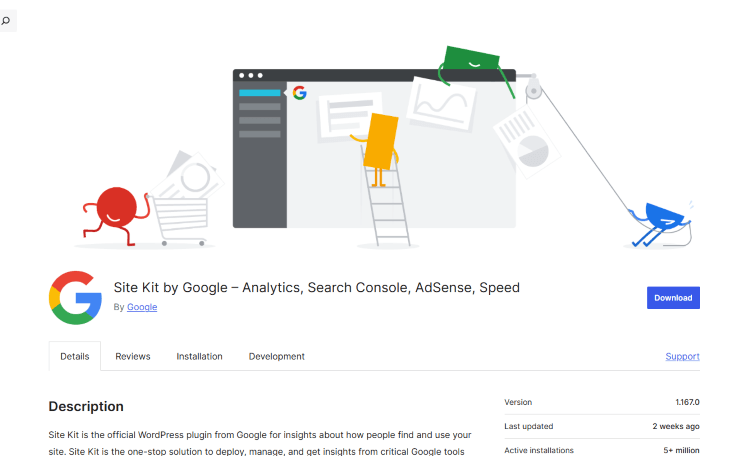
Site Kit by Google is an official WordPress plugin that simplifies the integration of key Google services, such as:
- Google Analytics – Tracks website traffic, user engagement, and conversions.
- Google Search Console – Provides insights into search performance, indexing status, and SEO improvements.
- Google AdSense – Helps website owners manage ad revenue and performance.
- PageSpeed Insights – Analyzes site speed and suggests optimizations for better performance.
- Google Tag Manager – Enables the easy deployment of tracking codes without modifying website code.
- Google Optimize – Allows A/B testing and user experience experiments for enhanced website usability.
With one-click authentication and a user-friendly interface, Site Kit eliminates the need for manual code insertion or complex configurations, making it a go-to solution for WordPress users.
Key Features and Benefits of Site Kit
1. Unified Dashboard for Google Services
One of the standout features of Site Kit is its ability to consolidate multiple Google tools into a single interface within WordPress. This eliminates the need to log in separately to different platforms, saving time and effort.
2. Easy Setup and Configuration
Traditionally, integrating Google services requires manual configuration, API key generation, and code implementation. Site Kit streamlines this process with a step-by-step setup wizard, allowing even non-technical users to connect their website to Google tools effortlessly.
3. Actionable Insights and Reports
Site Kit offers real-time insights into traffic trends, search performance, and user engagement. The reports are presented in an easy-to-understand format, allowing website owners to make data-driven decisions quickly.
For example:
- Traffic Overview – See how many users visit your site, where they come from, and what pages they engage with.
- Search Queries – Understand what keywords drive traffic to your site.
- Monetization Metrics – Track ad performance and revenue with AdSense integration.
4. SEO Optimization with Search Console
For website owners focusing on search engine optimization (SEO), Site Kit provides direct access to Google Search Console data. Users can monitor:
- Indexed pages – Ensure all important pages appear in Google search results.
- Ranking keywords – Discover which queries bring in traffic.
- Crawl issues – Identify and fix potential indexing problems.
These insights help website owners optimize content and improve search visibility.
5. Performance Enhancements with PageSpeed Insights
Website speed plays a crucial role in user experience and search rankings. Site Kit integrates Google PageSpeed Insights, allowing webmasters to:
- Test their website’s loading speed.
- Receive recommendations for performance improvements.
- Monitor Core Web Vitals, which impact SEO and user engagement.
With these insights, website owners can enhance their site's speed and usability, leading to higher retention rates and better conversions.
6. Seamless AdSense Integration for Monetization
For those looking to monetize their websites through advertisements, Google AdSense integration in Site Kit simplifies the process of tracking revenue, ad impressions, and clicks. This allows website owners to optimize ad placement for maximum earnings.
7. Privacy-Friendly and Secure
Unlike third-party plugins that may store data externally, Site Kit directly retrieves insights from Google services without compromising security or privacy. It adheres to Google’s data protection standards, making it a reliable choice for website analytics.
How to Install and Set Up Site Kit on WordPress
Setting up Site Kit is a straightforward process. Follow these steps to integrate it into your WordPress website:
Step 1: Install Site Kit Plugin
- Log in to your WordPress dashboard.
- Navigate to Plugins > Add New.
- Search for Site Kit by Google.
- Click Install Now, then Activate.
Step 2: Connect Your Google Account
- Click on the new Site Kit menu in the WordPress dashboard.
- Click Start Setup and sign in with your Google account.
- Grant necessary permissions to connect your site to Google services.
Step 3: Configure Google Services
- Connect Google Search Console – This is mandatory for Site Kit to function properly.
- Enable Google Analytics – If you already have an Analytics account, Site Kit will detect it; otherwise, you can create one.
- Set up AdSense (Optional) – If you use AdSense for monetization, you can link it to track earnings.
- Activate PageSpeed Insights – Get speed performance reports.
Once connected, Site Kit will automatically display insights within the WordPress dashboard.
Best Practices for Using Site Kit Effectively
To maximize the benefits of Site Kit, consider the following best practices:
- Regularly Review Insights – Make it a habit to check analytics data and performance reports to identify areas for improvement.
- Optimize for SEO – Use Search Console insights to enhance content, fix indexing issues, and improve keyword targeting.
- Improve Website Speed – Follow PageSpeed Insights recommendations to enhance loading times.
- Monitor Ad Revenue – If monetizing through AdSense, analyze ad performance and experiment with placements for better earnings.
- Utilize Google Tag Manager – If you need to add tracking scripts (e.g., Facebook Pixel, remarketing tags), use Tag Manager for a streamlined process.
Conclusion
Site Kit by Google is an essential plugin for WordPress users, offering seamless integration with powerful Google tools. Whether you are a blogger, business owner, marketer, or developer, Site Kit simplifies the process of tracking website performance, optimizing SEO, and improving user experience.
By consolidating insights from Google Analytics, Search Console, AdSense, and PageSpeed Insights, Site Kit empowers website owners to make data-driven decisions that enhance traffic, engagement, and revenue.
If you are running a WordPress website, installing Site Kit should be a top priority. With its easy setup, intuitive dashboard, and valuable insights, it provides everything you need to grow your online presence efficiently.
About Our Agency
Our agency specializes in digital marketing, website optimization, and data analytics. We help businesses and website owners harness the power of tools like Site Kit by Google to achieve their online goals. Whether you need assistance with SEO, performance optimization, or monetization strategies, our team is here to provide expert guidance.
If you are looking to maximize your website’s potential, contact us today for a free consultation! 🚀
About us and this blog
We are a digital marketing company with a focus on helping our customers achieve great results across several key areas.
Request a free quote
We offer professional SEO services that help websites increase their organic search score drastically in order to compete for the highest rankings even when it comes to highly competitive keywords.
Subscribe to our newsletter!
Unlock Your Growth. Let's Talk Strategy.
Share Your Vision With Us
We craft data-driven digital marketing campaigns that drive traffic, generate leads, and boost your sales. Share your goals with us.
More from our blog
See all postsRecent Posts
- Comprehensive Guide to Shopify Pricing: Everything You Need to Know December 20, 2025
- What is "Salla" Store? A Comprehensive Overview December 20, 2025
- The Cost of Building a Salla Store: A Comprehensive Guide December 20, 2025
