

UpdraftPlus: The Ultimate Backup Solution for WordPress Websites
- December 14, 2025
- Other Plugins
Managing a WordPress website comes with numerous responsibilities, including content updates, security, performance optimization, and data protection. One of the most critical aspects of website management is ensuring that data remains secure in case of unexpected failures, hacking attempts, or human errors. This is where UpdraftPlus, a leading WordPress backup plugin, plays a crucial role.
What is UpdraftPlus?
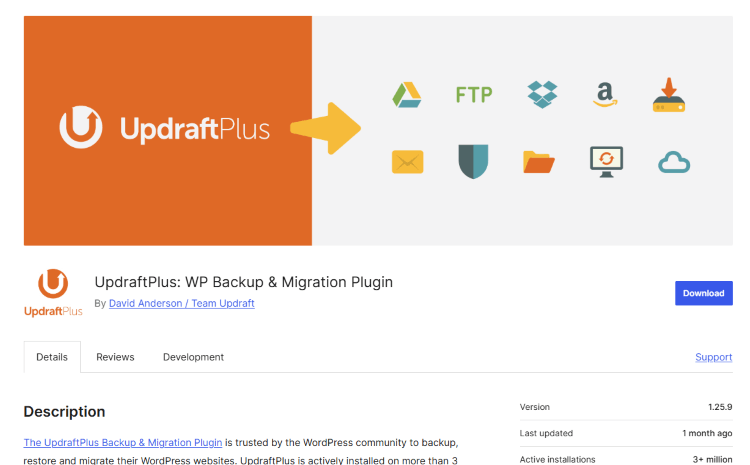
UpdraftPlus is a powerful and widely-used WordPress backup plugin that enables website owners to create, schedule, and restore backups with ease. With over 3 million active installations, it has become the go-to solution for bloggers, businesses, and developers seeking a reliable and efficient way to safeguard their websites.
Unlike many other backup solutions, UpdraftPlus offers both free and premium versions, making it accessible for all types of users. The plugin allows you to store backups on multiple cloud services such as Google Drive, Dropbox, Amazon S3, and even remote FTP servers. Its seamless interface, coupled with advanced automation features, ensures that website data remains safe without requiring manual intervention.
Why Backups Are Essential for WordPress Websites
WordPress, being the most popular CMS globally, is a frequent target for hackers, malware infections, and technical failures. Without a proper backup system in place, website owners risk losing valuable data, customer information, and years of hard work in a matter of seconds.
Some of the most common causes of data loss include:
- Hacking & Malware Attacks: Cybercriminals exploit vulnerabilities in outdated themes, plugins, and weak passwords to gain unauthorized access to websites.
- Hosting Failures: Hosting providers are not infallible. Server crashes, misconfigurations, and internal errors can lead to data loss.
- Human Errors: Accidentally deleting files, modifying crucial database entries, or installing incompatible plugins can break a website.
- Update Conflicts: WordPress core updates, plugin updates, or theme updates can sometimes conflict with existing configurations, leading to website crashes.
With UpdraftPlus, website owners can restore their website to a fully functional state with just a few clicks, ensuring minimal downtime and data loss.
Key Features of UpdraftPlus
UpdraftPlus is packed with powerful features that make website backups and restoration simple and effective. Here are some of its standout capabilities:
1. Automated Backup Scheduling
One of the biggest advantages of using UpdraftPlus is the ability to set up automatic backups at predefined intervals. Website owners can schedule backups on a daily, weekly, or monthly basis, ensuring that they never forget to back up their data manually.
2. Multiple Cloud Storage Options
Unlike other backup plugins that restrict cloud storage choices, UpdraftPlus allows users to store their backups on various third-party services, including:
- Google Drive
- Dropbox
- Amazon S3
- Microsoft OneDrive
- Rackspace Cloud
- FTP/SFTP servers
- Email (for small backups)
Having multiple backup destinations ensures that website owners always have a copy of their data stored safely offsite.
3. Easy Website Restoration
Restoring a website using UpdraftPlus is incredibly straightforward. In the event of data loss or a site malfunction, users can restore their website with a single click from the WordPress dashboard. The plugin automatically retrieves the latest backup from the designated storage location and restores all essential files, including the database, plugins, themes, and media uploads.
4. Incremental Backups (Premium Feature)
For websites with large amounts of data, backing up the entire site every time can be resource-intensive. UpdraftPlus Premium offers incremental backups, which only save changes made since the last backup. This reduces storage space usage and ensures that backups run efficiently without affecting website performance.
5. Cloning and Migration (Premium Feature)
UpdraftPlus Premium includes a migration tool that allows users to easily move their WordPress site to a new domain, host, or server. This is particularly useful for developers who need to test their website on staging environments before going live.
6. Enhanced Security Features
Security is a top priority when handling sensitive website data. UpdraftPlus offers encrypted backups to protect stored files from unauthorized access. Additionally, users can set up password protection for access to backup logs and settings.
7. Compatibility with Multisite Networks
For users managing multiple WordPress sites through WordPress Multisite, UpdraftPlus provides a seamless backup solution that supports network-wide backups and restoration.
Comparing UpdraftPlus Free vs. Premium
While the free version of UpdraftPlus offers a robust set of features, upgrading to UpdraftPlus Premium unlocks additional capabilities that provide greater control and efficiency. Here’s a quick comparison:
| Feature | UpdraftPlus Free | UpdraftPlus Premium |
| Scheduled backups | ✅ | ✅ |
| Manual backups | ✅ | ✅ |
| Cloud storage options | ✅ (limited) | ✅ (expanded) |
| Automatic restoration | ✅ | ✅ |
| Incremental backups | ❌ | ✅ |
| Cloning & Migration | ❌ | ✅ |
| Advanced reporting | ❌ | ✅ |
| Priority support | ❌ | ✅ |
For businesses and professional developers, investing in UpdraftPlus Premium is a smart choice, as it provides enhanced backup flexibility, security, and support.
Best Practices for Using UpdraftPlus Effectively
To ensure your WordPress website remains fully protected, follow these best practices when using UpdraftPlus:
- Schedule Regular Backups: Depending on your website activity, set up backups at suitable intervals (e.g., daily for high-traffic sites, weekly for blogs).
- Use Multiple Storage Destinations: Avoid storing backups on the same hosting server—use at least one offsite storage solution like Google Drive or Dropbox.
- Enable Email Notifications: Stay informed about backup statuses to ensure they are running smoothly.
- Test Backups Regularly: Download and restore backups in a test environment to verify that they are functioning properly.
- Keep UpdraftPlus Updated: Ensure you are using the latest version of the plugin to avoid compatibility and security issues.
Conclusion
UpdraftPlus stands out as one of the best WordPress backup plugins due to its ease of use, reliability, and extensive feature set. Whether you are a blogger, small business owner, or a developer, having a solid backup strategy in place is essential for safeguarding your website’s data.
By leveraging automated backups, cloud storage integration, and one-click restoration, UpdraftPlus ensures that WordPress users never lose their valuable content due to unforeseen events.
If you haven't already set up a backup plan for your website, now is the time to take action and install UpdraftPlus!
How We Can Help You with UpdraftPlus
Our agency specializes in WordPress website management, security, and performance optimization. We provide expert backup setup, monitoring, and restoration services to ensure that your website remains safe and functional at all times.
Whether you need assistance with UpdraftPlus installation, configuration, or troubleshooting, our team is here to help. Get in touch with us today to protect your website from data loss and downtime! 🚀
About us and this blog
We are a digital marketing company with a focus on helping our customers achieve great results across several key areas.
Request a free quote
We offer professional SEO services that help websites increase their organic search score drastically in order to compete for the highest rankings even when it comes to highly competitive keywords.
Subscribe to our newsletter!
Unlock Your Growth. Let's Talk Strategy.
Share Your Vision With Us
We craft data-driven digital marketing campaigns that drive traffic, generate leads, and boost your sales. Share your goals with us.
More from our blog
See all postsRecent Posts
- Comprehensive Guide to Shopify Pricing: Everything You Need to Know December 20, 2025
- What is "Salla" Store? A Comprehensive Overview December 20, 2025
- The Cost of Building a Salla Store: A Comprehensive Guide December 20, 2025
