

The Comprehensive Guide to WooCommerce: Transforming Your WordPress Site into a Powerful Online Store
- December 14, 2025
- Other Plugins
E-commerce has become an indispensable part of the modern business landscape, enabling entrepreneurs, small businesses, and enterprises to sell products and services online with ease. Among the various e-commerce platforms available today, WooCommerce stands out as one of the most popular and powerful solutions, especially for WordPress users. This article provides a comprehensive exploration of WooCommerce, covering its features, benefits, setup process, and optimization strategies for a successful online store.
What is WooCommerce?
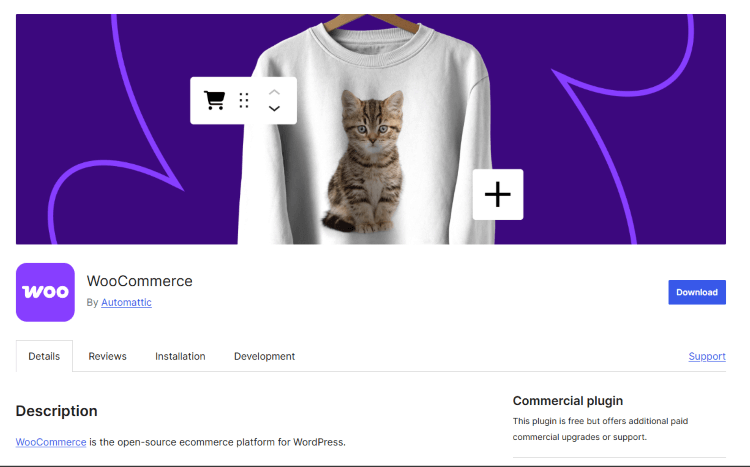
WooCommerce is a free, open-source e-commerce plugin for WordPress that allows users to create and manage an online store with full flexibility and customization. It was launched in 2011 by WooThemes and later acquired by Automattic, the company behind WordPress.com, in 2015. Since then, WooCommerce has become the most widely used e-commerce platform, powering over 6 million websites worldwide.
WooCommerce seamlessly integrates with WordPress, providing users with an intuitive and familiar interface to build, customize, and manage their online store. It supports physical products, digital downloads, subscriptions, bookings, and even dropshipping, making it a versatile choice for businesses of all sizes.
Key Features of WooCommerce
One of the reasons WooCommerce is so popular is its rich feature set that allows users to create a fully functional online store with minimal technical knowledge. Below are some of the key features:
1. Easy Integration with WordPress
WooCommerce is designed specifically for WordPress, making it the best e-commerce solution for WordPress-powered websites. The installation process is straightforward, and it integrates seamlessly with WordPress themes and plugins.
2. Highly Customizable
WooCommerce offers unlimited customization options. Users can choose from thousands of themes, modify store layouts, and use built-in settings or custom code to tailor their store’s appearance and functionality.
3. Secure Payment Options
The platform supports multiple payment gateways, including:
- PayPal
- Stripe
- Credit/Debit Cards
- Bank Transfers
- Apple Pay & Google Pay
- Cash on Delivery Additionally, users can integrate other payment providers through third-party plugins.
4. Product Management
WooCommerce makes it easy to manage products with:
- Unlimited product listings
- Customizable product pages
- Inventory and stock management
- Product variations (size, color, material, etc.)
- Bulk product uploads via CSV files
- Integration with dropshipping suppliers
5. Shipping and Tax Management
The platform provides a range of shipping options, including:
- Flat rate, free shipping, and local pickup
- Real-time shipping rates via third-party carriers (FedEx, UPS, DHL, etc.)
- Automated tax calculations based on customer location
- Shipping zones and international sales support
6. SEO-Friendly
WooCommerce is built with SEO best practices in mind. It works seamlessly with SEO plugins like Yoast SEO, helping store owners optimize their content, metadata, and product descriptions for better search engine rankings.
7. Extensive Plugin and Extension Support
WooCommerce has a vast ecosystem of extensions and plugins that enhance functionality, including:
- Marketing tools (email marketing, social media integration, etc.)
- Advanced analytics and reporting
- Multi-currency and multilingual support
- Subscription and membership capabilities
- Live chat and customer support tools
8. Mobile-Friendly Design
Most WooCommerce themes are responsive, ensuring a seamless shopping experience across devices. Additionally, mobile optimization plugins can further enhance the store’s performance on smartphones and tablets.
How to Set Up a WooCommerce Store
Setting up an online store with WooCommerce is relatively easy. Below is a step-by-step guide:
Step 1: Install WooCommerce on WordPress
- Log in to your WordPress dashboard.
- Navigate to Plugins > Add New.
- Search for WooCommerce, click Install Now, and then Activate.
Step 2: Configure Basic Settings
Upon activation, WooCommerce provides a setup wizard to guide users through:
- Choosing a store location and currency
- Configuring shipping and tax settings
- Setting up payment methods
Step 3: Add Products
- Go to Products > Add New in the WordPress dashboard.
- Enter product details, including:
- Title & description
- Price & inventory settings
- Product images
- Categories and tags
- Click Publish to make the product live.
Step 4: Customize Your Store
- Choose a WooCommerce-compatible theme (e.g., Astra, Storefront, or Flatsome).
- Use page builders like Elementor or Gutenberg to design your store.
- Add essential plugins for additional functionality.
Step 5: Optimize Performance
- Install a caching plugin (e.g., WP Rocket) for faster loading speeds.
- Optimize images using Smush or Imagify.
- Use a Content Delivery Network (CDN) for global accessibility.
Step 6: Market Your Store
- Implement SEO strategies using Yoast SEO.
- Set up email marketing campaigns via Mailchimp or Klaviyo.
- Leverage social media integration for broader reach.
Best Practices for Running a Successful WooCommerce Store
To maximize the potential of your WooCommerce store, consider the following best practices:
1. Focus on User Experience (UX)
Ensure your store is easy to navigate, loads quickly, and provides a seamless checkout process.
2. Leverage Data Analytics
WooCommerce provides detailed analytics and reports to help track sales, customer behavior, and inventory trends.
3. Implement Strong Security Measures
- Use SSL certificates for secure transactions.
- Keep WooCommerce, WordPress, and plugins updated.
- Enable two-factor authentication for admin access.
4. Offer Multiple Payment Options
Providing diverse payment methods can increase conversion rates and reduce cart abandonment.
5. Optimize for Mobile Users
With more consumers shopping via smartphones, ensure your store is mobile-responsive.
6. Use Email Marketing for Retargeting
Retargeting abandoned cart users with email marketing can recover lost sales.
7. Utilize Social Proof
Displaying customer reviews, testimonials, and trust badges can enhance credibility and encourage sales.
Conclusion
WooCommerce is a powerful, flexible, and scalable e-commerce solution that enables businesses of all sizes to create and manage a fully functional online store. With its extensive customization options, secure payment gateways, SEO capabilities, and vast plugin ecosystem, it is an ideal choice for anyone looking to sell products or services online.
Whether you're a startup entrepreneur or an established business, WooCommerce provides everything you need to build, grow, and optimize your online store effectively.
Our WooCommerce Services
At Nafas Digital, we specialize in WooCommerce development, customization, and optimization to help businesses build high-performing online stores. Our services include:
- WooCommerce setup and configuration
- Custom theme and plugin development
- Performance optimization
- SEO and digital marketing strategies
- Ongoing maintenance and support
If you’re looking to launch or improve your WooCommerce store, contact us today for a free consultation! 🚀
About us and this blog
We are a digital marketing company with a focus on helping our customers achieve great results across several key areas.
Request a free quote
We offer professional SEO services that help websites increase their organic search score drastically in order to compete for the highest rankings even when it comes to highly competitive keywords.
Subscribe to our newsletter!
Unlock Your Growth. Let's Talk Strategy.
Share Your Vision With Us
We craft data-driven digital marketing campaigns that drive traffic, generate leads, and boost your sales. Share your goals with us.
More from our blog
See all postsRecent Posts
- Comprehensive Guide to Shopify Pricing: Everything You Need to Know December 20, 2025
- What is "Salla" Store? A Comprehensive Overview December 20, 2025
- The Cost of Building a Salla Store: A Comprehensive Guide December 20, 2025
