

A Comprehensive Guide to the Redirection Plugin for WordPress: Features, Benefits, and Best Practices
- December 14, 2025
- SEO Plugins
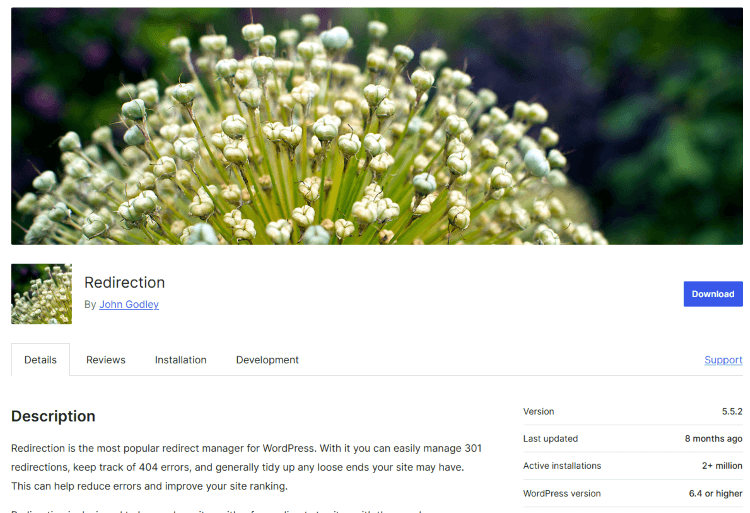
Managing website links effectively is essential for maintaining SEO rankings, improving user experience, and ensuring that visitors do not encounter broken pages. The Redirection plugin for WordPress is one of the most popular and powerful tools available to manage 301 redirects, track 404 errors, and enhance site navigation.
This article provides a detailed overview of the Redirection plugin, including its features, benefits, installation process, configuration steps, and best practices. By the end of this guide, you will have a solid understanding of how to use this plugin efficiently to keep your website running smoothly.
What is the Redirection Plugin?
The Redirection plugin is a free WordPress plugin designed to manage URL redirects without requiring technical knowledge of .htaccess files. It helps website owners redirect old or broken URLs to new ones, reducing 404 errors and ensuring users reach the correct pages.
With millions of active installations, Redirection is a go-to tool for bloggers, businesses, and developers looking to maintain their site's SEO and avoid link issues.
Key Features of the Redirection Plugin
1. Easy 301 Redirects
The primary function of the Redirection plugin is to create 301 redirects. This is crucial when:
- Changing a page URL.
- Moving content to a new website structure.
- Deleting old posts and replacing them with updated content.
2. 404 Error Tracking
The plugin allows you to monitor 404 errors and quickly create redirects to resolve them. This prevents users from landing on broken pages, improving both SEO and user experience.
3. Conditional Redirects
Redirection offers advanced conditions to customize redirects based on:
- Referrer source (redirect users coming from a specific website).
- Login status (redirect logged-in users to a specific page).
- Browser type (redirect users from mobile to a mobile-optimized page).
4. Full Logging and Tracking
Every redirection is logged, providing insights into:
- The number of times a redirect was triggered.
- Where users are coming from.
- Where they were redirected to.
5. Regular Expressions (Regex) Support
Advanced users can use regular expressions (regex) to create more complex redirects, such as redirecting all URLs in a specific category to another section of the site.
6. Import and Export Redirects
If you are migrating a site or managing a large number of redirects, you can import and export redirect rules via a CSV file for quick setup.
7. Automatic Redirects
Redirection can automatically create a redirect when a URL is changed, ensuring that no broken links are left behind.
8. No Need for .htaccess Editing
Unlike traditional redirect methods that require manual editing of the .htaccess file, Redirection allows all changes to be made within WordPress, reducing the risk of server errors.
Why You Should Use the Redirection Plugin?
- SEO Benefits
- Fixing broken links prevents search engines from penalizing your site.
- Preserves link equity when updating or moving pages.
- Improved User Experience
- Visitors won’t encounter dead links, leading to higher retention rates.
- Time-Saving and Automation
- Automatically detects changes and applies redirects, reducing manual work.
- Better Website Management
- Tracks errors and redirections in one place for easier troubleshooting.
How to Install and Configure Redirection
Step 1: Install the Plugin
- Log into your WordPress admin panel.
- Navigate to Plugins > Add New.
- Search for Redirection.
- Click Install Now and then Activate the plugin.
Step 2: Basic Setup
- Go to Tools > Redirection in the WordPress dashboard.
- Complete the initial setup wizard.
- Enable monitoring of permalink changes for automatic redirects.
Step 3: Creating a Redirect Rule
- Click Add New Redirect.
- Enter the Source URL (the old URL).
- Enter the Target URL (the new URL).
- Choose the redirect type (301 for permanent redirection).
- Click Save.
Step 4: Managing 404 Errors
- Go to the 404 Logs section in the plugin to identify broken links.
- Fix the errors by adding the appropriate redirects.
Step 5: Advanced Configuration
- Use Regex patterns for bulk redirects.
- Set up conditional rules based on user roles, referrer URLs, or browser types.
Best Practices for Using Redirection
- Regularly Check 404 Logs
- Fix broken links promptly to maintain site health.
- Use 301 Redirects for Permanent Changes
- Avoid 302 (temporary) redirects unless absolutely necessary.
- Redirect to Relevant Content
- Ensure the destination page is related to the original page.
- Avoid Redirect Chains
- Do not create multiple redirects leading to another redirect, as this slows down your site.
- Test Your Redirects
- After setting up redirects, test them using incognito mode or online redirect checkers.
Why Choose Our Professional Redirection Management Service?
While the Redirection plugin is a fantastic tool, managing redirects efficiently requires SEO knowledge, technical expertise, and regular monitoring.
At Nafas Digital, we offer professional redirection management services to ensure your site runs flawlessly. Our team provides:
✅ Custom Redirect Setup – We analyze your site's structure and implement the most effective redirect strategies.
✅ 404 Error Resolution – We track and fix broken links to maintain user experience and SEO rankings.
✅ Bulk Redirect Configuration – We handle large-scale URL changes efficiently using regex and automation.
✅ SEO Optimization – Every redirect is designed to preserve SEO value and traffic.
✅ Ongoing Monitoring & Reporting – We provide detailed reports on redirect performance and necessary adjustments.
Get in touch today and let us handle all your redirect needs while you focus on growing your business!
🔹 Contact us now for a free consultation! 🔹
About us and this blog
We are a digital marketing company with a focus on helping our customers achieve great results across several key areas.
Request a free quote
We offer professional SEO services that help websites increase their organic search score drastically in order to compete for the highest rankings even when it comes to highly competitive keywords.
Subscribe to our newsletter!
Unlock Your Growth. Let's Talk Strategy.
Share Your Vision With Us
We craft data-driven digital marketing campaigns that drive traffic, generate leads, and boost your sales. Share your goals with us.
More from our blog
See all postsRecent Posts
- Comprehensive Guide to Shopify Pricing: Everything You Need to Know December 20, 2025
- What is "Salla" Store? A Comprehensive Overview December 20, 2025
- The Cost of Building a Salla Store: A Comprehensive Guide December 20, 2025
