

The Ultimate Guide to All-in-One Security Plugin for WordPress
- December 14, 2025
- Security Plugins
In today's digital landscape, website security is more critical than ever. Cyber threats, including hacking attempts, malware infections, and brute force attacks, are on the rise, making it imperative for website owners to protect their online assets. If you run a WordPress website, securing it should be your top priority. Fortunately, the All-in-One Security (AIOS) plugin provides a comprehensive solution to fortify your site against potential vulnerabilities.
In this guide, we’ll explore everything you need to know about the All-in-One Security plugin, including its features, benefits, installation process, and best practices. Plus, if you need expert assistance in implementing robust security measures, our agency is here to help you safeguard your website efficiently.
What Is the All-in-One Security Plugin?
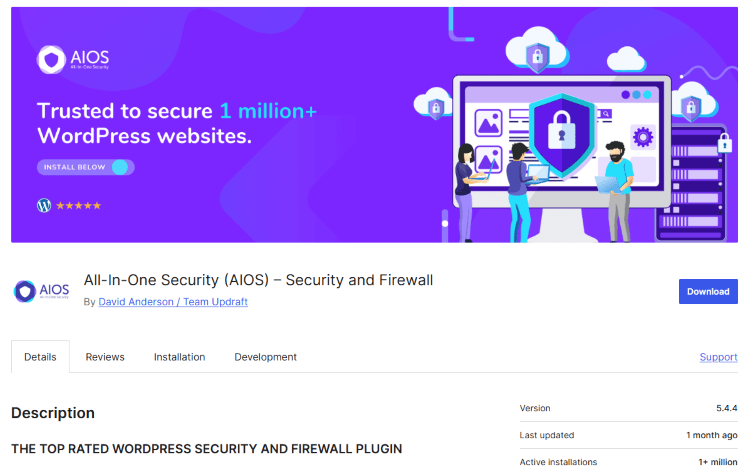
The All-in-One Security (AIOS) plugin is a powerful WordPress security plugin designed to protect websites from various cyber threats. Unlike other security plugins that focus on specific aspects of protection, AIOS provides a holistic security solution, covering login protection, firewall settings, malware scanning, spam defense, and database security.
This plugin is user-friendly, making it ideal for both beginners and advanced users. With its intuitive dashboard, AIOS allows website owners to implement high-level security without needing extensive technical knowledge.
Key Features of All-in-One Security Plugin
AIOS is packed with features that help keep your website secure. Here are some of its top functionalities:
1. Login Security
- Protection against brute force attacks.
- Ability to restrict login attempts.
- Two-factor authentication (2FA) for enhanced security.
- Google reCAPTCHA integration to prevent bots.
2. User Account Security
- Prevention of default username vulnerabilities.
- Monitoring and locking out suspicious users.
- Enforcing strong password policies.
3. Firewall Protection
- IP blacklisting and whitelisting to block malicious users.
- Blocking known bad IP addresses automatically.
- Real-time firewall rules to prevent unauthorized access.
4. Malware Scanning & File Integrity Monitoring
- Detects changes in core WordPress files.
- Scans for malicious code injections.
- Alerts website owners of any suspicious modifications.
5. Spam Prevention
- Protection against spam bots in comments and forms.
- CAPTCHA-based security to reduce spam attacks.
- Advanced honeypot techniques to detect and block spammers.
6. Database Security
- Automated database backups for data protection.
- Changing the default database prefix to prevent SQL injection attacks.
- Regular database scanning to detect anomalies.
7. File System & Directory Security
- Preventing unauthorized file access.
- Disabling PHP execution in vulnerable directories.
- Restricting file editing from the WordPress dashboard.
8. Security Logs & Monitoring
- Real-time activity logs to track user behavior.
- Audit trails for failed login attempts.
- Insights into security vulnerabilities.
9. Customizable Security Levels
- Three-tiered security levels: Basic, Intermediate, and Advanced.
- Allows users to choose the best settings for their needs.
- Easy toggling between security levels for maximum convenience.
How to Install and Configure All-in-One Security Plugin
Setting up All-in-One Security is simple. Follow these steps to install and configure the plugin:
Step 1: Install the Plugin
- Log in to your WordPress dashboard.
- Go to Plugins > Add New.
- Search for "All-in-One Security".
- Click Install Now, then Activate.
Step 2: Initial Setup
- After activation, go to WP Security in the WordPress sidebar.
- Navigate to the Dashboard and view the security strength meter.
- Enable basic security settings to protect your site immediately.
Step 3: Configure Login Security
- Enable login lockdown to prevent brute force attacks.
- Set a limit on failed login attempts.
- Turn on Two-Factor Authentication (2FA) for better security.
- Activate Google reCAPTCHA to block bots.
Step 4: Firewall Configuration
- Enable the basic firewall rules.
- Activate "Prevent Hotlinking" to stop unauthorized use of images.
- Configure IP blocking to restrict access to your site.
Step 5: Malware Scanning
- Run a file integrity check to ensure files have not been modified.
- Set up automated scans for continuous monitoring.
- Enable alerts for suspicious activities.
Step 6: Backup & Database Security
- Schedule regular database backups.
- Change the WordPress database prefix to enhance security.
- Monitor database activity to detect unusual patterns.
Step 7: Optimize Security Settings
- Activate user account security
- Set up file permissions to prevent unauthorized modifications.
- Review and adjust security logs to track potential threats.
Best Practices for Using All-in-One Security Plugin
To maximize the security benefits of AIOS, consider these best practices:
- Regularly update WordPress, themes, and plugins to prevent security vulnerabilities.
- Use strong passwords and change them periodically.
- Enable Two-Factor Authentication (2FA) for added login security.
- Backup your website frequently to ensure data recovery in case of attacks.
- Monitor security logs to detect unusual activity.
- Use a reliable hosting provider with built-in security measures.
- Avoid using "admin" as a username to reduce the risk of hacking.
- Disable file editing in WordPress to prevent unauthorized code changes.
Why Choose Our Security Services?
While the All-in-One Security plugin is an excellent tool, implementing the right security configurations requires expertise. If you want to ensure maximum protection for your website, our professional WordPress security services can help.
Our Services Include:
✔ Full WordPress security audit to detect vulnerabilities.
✔ Expert AIOS setup and configuration tailored to your needs.
✔ Malware removal and website cleanup in case of infection.
✔ Regular security monitoring to prevent cyber threats.
✔ Custom firewall rules for enhanced protection.
✔ Scheduled backups to safeguard your data.
✔ Ongoing support and maintenance for long-term security.
Protecting your website shouldn't be a hassle. Let our experts handle your security needs while you focus on growing your business.
📩 Contact us today to secure your WordPress site with the best security solutions! 🚀
About us and this blog
We are a digital marketing company with a focus on helping our customers achieve great results across several key areas.
Request a free quote
We offer professional SEO services that help websites increase their organic search score drastically in order to compete for the highest rankings even when it comes to highly competitive keywords.
Subscribe to our newsletter!
Unlock Your Growth. Let's Talk Strategy.
Share Your Vision With Us
We craft data-driven digital marketing campaigns that drive traffic, generate leads, and boost your sales. Share your goals with us.
More from our blog
See all postsRecent Posts
- Comprehensive Guide to Shopify Pricing: Everything You Need to Know December 20, 2025
- What is "Salla" Store? A Comprehensive Overview December 20, 2025
- The Cost of Building a Salla Store: A Comprehensive Guide December 20, 2025
