

The Ultimate Guide to BulletProof Security Plugin for WordPress
- December 15, 2025
- Security Plugins
WordPress is the most popular content management system (CMS) in the world, but its widespread use also makes it a frequent target for hackers, malware, and brute force attacks. Ensuring your WordPress site is secure should be a top priority for any website owner. This is where BulletProof Security comes into play.
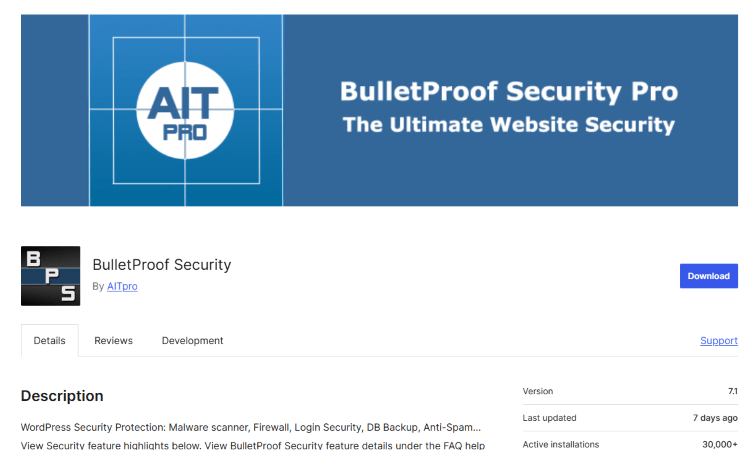
BulletProof Security is one of the most comprehensive and robust security plugins available for WordPress. It offers an extensive range of features designed to protect your website from various threats, including SQL injection, brute force attacks, and malicious code injections. In this guide, we’ll delve into the features, benefits, installation, and configuration of BulletProof Security to help you safeguard your website effectively.
Why Choose BulletProof Security for WordPress?
Unlike many security plugins that offer only partial protection, BulletProof Security provides a complete and automated security solution for WordPress users. Some of the primary reasons to choose BulletProof Security include:
- Comprehensive Protection
BulletProof Security protects against hacking attempts, SQL injection attacks, brute force attacks, and other common vulnerabilities. - .htaccess-Based Security
The plugin leverages .htaccess security, which works at the server level, providing an extra layer of protection before attacks even reach WordPress. - Easy Setup with One-Click Activation
Unlike some security plugins that require extensive configuration, BulletProof Security offers a simple one-click setup, making it user-friendly even for beginners. - Brute Force Attack Protection
The plugin detects and blocks excessive failed login attempts, preventing hackers from guessing your passwords. - Database Security and Backup
BulletProof Security secures your database and provides automatic backups, ensuring that your website data is always safe. - Malware Scanner and Firewall
The real-time security scanning feature identifies and removes malicious scripts, while the firewall provides additional protection against unauthorized access. - Advanced Security Logging and Monitoring
Track and monitor all login attempts, file changes, and security issues in real-time. - Email Alerts and Notifications
Stay informed with security alerts and recommendations directly sent to your email.
Installing BulletProof Security Plugin on WordPress
Installing BulletProof Security is straightforward and takes only a few minutes. Follow these steps:
Step 1: Install the Plugin
- Log in to your WordPress dashboard.
- Navigate to Plugins > Add New.
- In the search bar, type BulletProof Security.
- Click Install Now, then Activate the plugin.
Step 2: Run the Setup Wizard
- Once activated, go to BulletProof Security in your WordPress menu.
- Click on Setup Wizard and follow the on-screen instructions.
- The wizard will apply the recommended security settings automatically.
Step 3: Enable .htaccess Protection
- Navigate to Security Modes.
- Enable BulletProof Mode for Root Folder and wp-admin Folder.
- Click Activate to apply the changes.
Step 4: Configure Additional Security Settings
- Brute Force Protection: Set up login attempt limits.
- Firewall Protection: Activate firewall rules to block suspicious activity.
- Database Security: Schedule regular database backups.
Configuring BulletProof Security for Maximum Protection
1. Brute Force Login Protection
- Go to Login Security & Monitoring.
- Set the maximum number of failed login attempts before a user is locked out.
- Enable the CAPTCHA feature to add an extra layer of protection.
2. Firewall Configuration
- Navigate to Firewall Security.
- Enable the BPS Firewall to prevent unauthorized access.
- Activate IP blocking to restrict access from suspicious IP addresses.
3. Malware Scanner & AutoFix
- Go to Malware Scanner.
- Run a full scan to check for malicious files and scripts.
- Use the AutoFix feature to remove or quarantine any detected threats.
4. Database Security & Backup
- Schedule automated backups for your WordPress database.
- Store backup files in a secure offsite location.
5. Email Alerts & Monitoring
- Enable email notifications for security warnings.
- Monitor login attempts and failed login records.
BulletProof Security vs. Other Security Plugins
| Feature | BulletProof Security | Wordfence | Sucuri |
| .htaccess Protection | ✅ | ❌ | ❌ |
| Brute Force Protection | ✅ | ✅ | ✅ |
| Malware Scanning | ✅ | ✅ | ✅ |
| Firewall | ✅ | ✅ | ✅ |
| Database Backup | ✅ | ❌ | ✅ |
| AutoFix for Malware | ✅ | ❌ | ✅ |
| Security Logging | ✅ | ✅ | ✅ |
BulletProof Security stands out due to its .htaccess-based security, lightweight performance, and automated security measures.
Common Issues and Troubleshooting BulletProof Security
1. White Screen After Activation
- This issue can occur due to conflicts with other security plugins. Disable other security plugins and reactivate BulletProof Security.
2. Locked Out of WordPress Dashboard
- If you're locked out, rename the .htaccess file via FTP to regain access.
3. Plugin Not Working Properly
- Ensure your WordPress, PHP version, and plugins are updated.
- Re-run the Setup Wizard to reset security settings.
Final Thoughts: Is BulletProof Security Worth It?
Absolutely! BulletProof Security is an excellent choice for anyone looking to secure their WordPress website without unnecessary bloat or complicated configurations. The plugin’s ability to harden WordPress security, prevent brute force attacks, provide database backups, and detect malware makes it a must-have for website owners.
If you’re running a WordPress website, investing in security should be a top priority. While there are other plugins available, BulletProof Security offers a perfect balance of power, automation, and performance.
Need Professional Help? Get Our Premium WordPress Security Service!
At Nafas Digital, we specialize in WordPress security and maintenance. If you want to ensure that your website is fully protected from hackers, malware, and vulnerabilities, our expert security team can help you:
✅ Install and configure BulletProof Security for maximum protection
✅ Perform deep malware scans and remove threats
✅ Set up firewall rules and brute force protection
✅ Schedule automated backups and recovery plans
✅ Provide 24/7 security monitoring and instant support
🚀 Let us handle your website security so you can focus on growing your business! Contact us today and get a free website security audit!
📩 Get in Touch: [email protected]
Don’t wait until your website gets hacked—secure it now with our expert services! 🔒
About us and this blog
We are a digital marketing company with a focus on helping our customers achieve great results across several key areas.
Request a free quote
We offer professional SEO services that help websites increase their organic search score drastically in order to compete for the highest rankings even when it comes to highly competitive keywords.
Subscribe to our newsletter!
Unlock Your Growth. Let's Talk Strategy.
Share Your Vision With Us
We craft data-driven digital marketing campaigns that drive traffic, generate leads, and boost your sales. Share your goals with us.
More from our blog
See all postsRecent Posts
- Comprehensive Guide to Shopify Pricing: Everything You Need to Know December 20, 2025
- What is "Salla" Store? A Comprehensive Overview December 20, 2025
- The Cost of Building a Salla Store: A Comprehensive Guide December 20, 2025
