

A Comprehensive Guide to WP Super Cache: Why It’s Essential for WordPress Websites
- December 15, 2025
- Speed Plugins
In today’s fast-paced digital world, website speed is more important than ever. Visitors expect websites to load quickly, and search engines like Google reward fast-loading sites with better rankings. Slow websites, on the other hand, can frustrate users, increase bounce rates, and even lead to lost revenue. If you run a WordPress site, one of the most effective ways to speed up your site is by using a caching plugin—and WP Super Cache is one of the best options available.
In this article, we’ll dive deep into what WP Super Cache is, how it works, and why it’s crucial for improving your site’s performance. We’ll also cover how to install and configure it, and why your website needs this powerful tool. Finally, we’ll introduce you to our agency’s services and how we can help optimize your site for speed and efficiency.
What is WP Super Cache?
WP Super Cache is a free caching plugin for WordPress that helps improve your site’s performance by serving static HTML files instead of dynamically generated ones. When a visitor accesses your site, WordPress typically generates a dynamic page for each request. This process can be resource-intensive, especially for high-traffic websites, which results in slower load times.
WP Super Cache solves this issue by creating static HTML files from your dynamic WordPress content. These static files are served to your visitors, which reduces the need for WordPress to process complex PHP scripts and database queries for each page load. The result? Faster load times, reduced server load, and an overall better user experience.
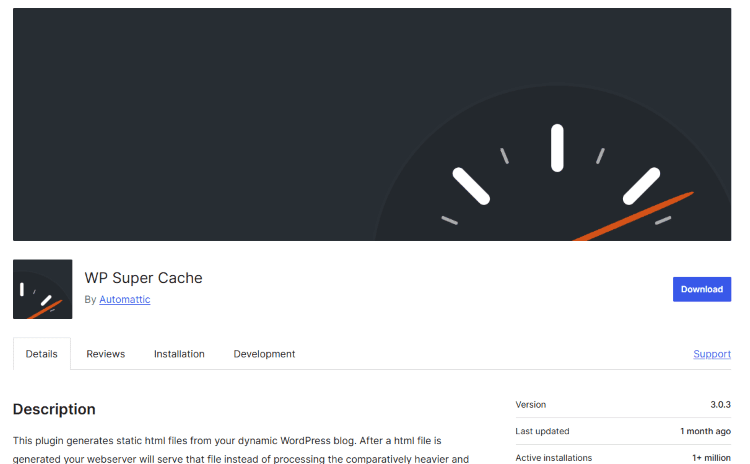
How Does WP Super Cache Work?
At its core, WP Super Cache works by caching your WordPress pages and storing them as static HTML files. These HTML files are served to users, bypassing the need for WordPress to generate the page content every time a request is made. Here's how the plugin works in detail:
- Caching Process: When a visitor accesses a page on your site for the first time, WP Super Cache generates a static HTML version of the page and stores it in the cache directory. On subsequent visits, the cached HTML file is served directly to the user, bypassing WordPress’s PHP scripts and database queries.
- Cache Expiration: Cached files are not stored forever. WP Super Cache allows you to set cache expiration times, after which the cached files are deleted and regenerated. This ensures that your visitors always see the most up-to-date content while maintaining the performance benefits of caching.
- Serving Static Files: When a user requests a page, WP Super Cache serves the static HTML version of the page, drastically reducing the load on your server and improving page load times.
- User-Defined Caching Settings: WP Super Cache allows you to customize various caching settings, such as cache expiration times, whether to cache pages for logged-in users, and how to handle mobile devices or other special scenarios.
Why Should You Use WP Super Cache?
Now that we’ve covered how WP Super Cache works, let’s discuss why you should consider installing it on your WordPress site. Here are several key benefits:
1. Improved Website Performance
The most obvious benefit of WP Super Cache is that it can significantly speed up your website. Serving static HTML files reduces the time it takes to load your pages and reduces the burden on your server. This means faster load times, which improves the overall user experience and helps keep visitors engaged on your site longer.
2. Reduced Server Load
If you have a high-traffic WordPress site, dynamic page generation can put a significant strain on your server. WP Super Cache reduces this load by serving cached HTML pages to users, reducing the number of database queries and PHP processes your server has to handle. This can help prevent server crashes and ensure your site remains accessible even during periods of high traffic.
3. Better SEO Rankings
Page speed is a critical ranking factor for search engines like Google. Faster-loading websites tend to rank higher in search results, giving you a competitive edge over slower sites. By improving your site’s performance with WP Super Cache, you’ll not only provide a better experience for users but also increase your chances of ranking higher in search results.
4. Mobile-Friendly Performance
With the increasing use of mobile devices, it’s essential to ensure your site performs well on smartphones and tablets. WP Super Cache allows you to configure caching specifically for mobile users, ensuring that your site loads quickly regardless of the device being used.
5. Easy to Use
Despite its powerful features, WP Super Cache is simple to install and configure. Even users with minimal technical experience can easily set up the plugin and start benefiting from faster load times. The plugin comes with an easy-to-understand interface and clear documentation to guide you through the process.
How to Install and Configure WP Super Cache
Step 1: Install WP Super Cache Plugin
- Log in to your WordPress dashboard.
- Navigate to Plugins > Add New.
- Search for “WP Super Cache.”
- Click on Install Now and then activate the plugin.
Step 2: Configure WP Super Cache Settings
Once the plugin is installed, you can configure its settings to optimize your site’s performance. Here’s how:
- Go to Settings > WP Super Cache in your WordPress dashboard.
- Under the Easy tab, select Caching On.
- Click Update Status to enable caching.
Step 3: Customize Advanced Settings
For more advanced users, WP Super Cache offers a range of additional configuration options under the Advanced tab. Here, you can fine-tune cache expiration, preloading, and various other caching settings. Some key options include:
- Cache Timeout: Set the amount of time for cached pages to be stored before they are regenerated.
- Preload Cache: This feature allows you to automatically generate cached pages for all posts and pages when the cache expires.
- Mobile Device Caching: Enable this setting if you want to serve cached pages differently for mobile users.
Once you’ve made your adjustments, click Update Status to save your settings.
WP Super Cache vs. Other Caching Plugins
While WP Super Cache is an excellent choice for many WordPress sites, it’s not the only caching plugin available. How does it compare to other popular caching solutions?
- W3 Total Cache: Like WP Super Cache, W3 Total Cache is a powerful caching plugin that improves website performance. However, it offers more advanced features and configuration options, which might be more suited to experienced users. WP Super Cache, on the other hand, is simpler and easier to use for beginners.
- WP Rocket: WP Rocket is a premium caching plugin that offers a more user-friendly experience and additional optimization features like database cleanup and lazy loading. However, WP Super Cache is a free alternative that still offers excellent caching capabilities, making it a great option for those on a budget.
- LiteSpeed Cache: If your server uses LiteSpeed, LiteSpeed Cache is a highly efficient caching solution. However, WP Super Cache remains a solid choice for most WordPress users, especially those using Apache or NGINX servers.
Ultimately, the choice between caching plugins depends on your needs and the level of customization you require. WP Super Cache strikes a great balance between ease of use and functionality, making it an excellent choice for many WordPress users.
Why Choose Our Agency for Website Optimization?
While WP Super Cache can drastically improve your site’s performance, optimizing your website goes beyond just installing a caching plugin. At our agency, we specialize in comprehensive website optimization services that not only enhance your site’s speed but also improve its overall functionality, security, and user experience.
Our Services Include:
- Custom WordPress Optimization: We tailor our optimization strategies to suit the unique needs of your website, ensuring maximum speed and performance.
- Performance Audits: Our team conducts in-depth performance audits to identify areas for improvement and create a roadmap for optimization.
- SEO Enhancements: We integrate performance optimization with SEO strategies to help your site rank higher in search engines and reach more potential customers.
- Ongoing Support and Maintenance: We offer continuous support to ensure your website remains fast and efficient over time.
- Security Hardening: Our services include security enhancements to protect your site from potential vulnerabilities and threats.
By working with us, you ensure that your website is not only fast but also secure, SEO-friendly, and continuously optimized for the best possible performance.
Conclusion
WP Super Cache is a powerful tool for anyone looking to improve the performance of their WordPress website. By serving static HTML files instead of dynamically generated pages, it significantly reduces server load, speeds up page load times, and improves the overall user experience. Whether you're running a small blog or a large e-commerce site, WP Super Cache is an essential tool in your website optimization toolkit.
However, website performance optimization doesn’t stop at caching. Our agency offers expert services to help you take your website to the next level, with customized optimization strategies, SEO enhancements, and ongoing support. Contact us today to get started and ensure your site delivers the best experience to your visitors.
Let us help you optimize your WordPress site today—contact us for a consultation and start improving your site’s speed and performance!
About us and this blog
We are a digital marketing company with a focus on helping our customers achieve great results across several key areas.
Request a free quote
We offer professional SEO services that help websites increase their organic search score drastically in order to compete for the highest rankings even when it comes to highly competitive keywords.
Subscribe to our newsletter!
Unlock Your Growth. Let's Talk Strategy.
Share Your Vision With Us
We craft data-driven digital marketing campaigns that drive traffic, generate leads, and boost your sales. Share your goals with us.
More from our blog
See all postsRecent Posts
- Comprehensive Guide to Shopify Pricing: Everything You Need to Know December 20, 2025
- What is "Salla" Store? A Comprehensive Overview December 20, 2025
- The Cost of Building a Salla Store: A Comprehensive Guide December 20, 2025
