

Comprehensive Guide to All-in-One WP Migration and Backup: The Ultimate WordPress Solution
- December 14, 2025
- Other Plugins
WordPress is the backbone of millions of websites worldwide, offering an easy-to-use and highly customizable platform. However, maintaining a WordPress site requires consistent backups, seamless migrations, and a reliable strategy for preventing data loss. This is where the All-in-One WP Migration and Backup plugin shines as an indispensable tool for website owners, developers, and agencies.
In this article, we will explore the All-in-One WP Migration and Backup plugin in depth, discussing its features, advantages, use cases, and how it compares to other solutions. Whether you are an individual blogger, a business owner, or a web development agency, this guide will help you understand why this plugin is a must-have for your WordPress site.
What is All-in-One WP Migration and Backup?
The All-in-One WP Migration and Backup plugin is a WordPress tool designed to help users migrate their websites effortlessly and securely. It enables complete site exports, imports, and backups, making it easy to move a WordPress site from one hosting provider to another or restore a site in case of failures.
Developed by ServMask, this plugin is one of the most trusted and widely used migration tools in the WordPress ecosystem. With over 60 million downloads, it has proven to be an efficient and reliable solution for managing website migrations and backups.
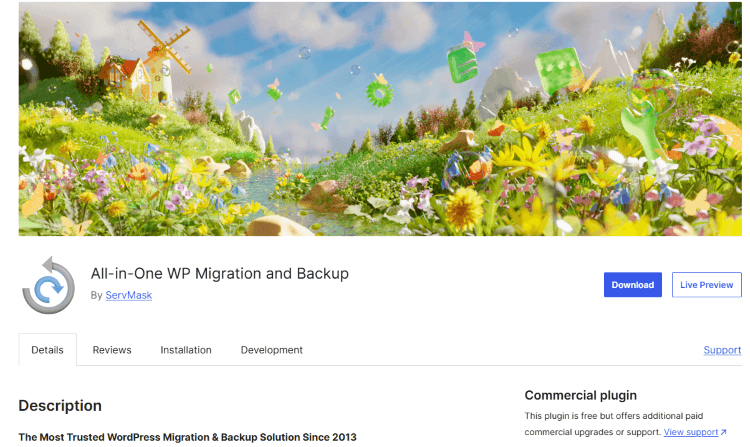
Key Features of All-in-One WP Migration and Backup
This plugin offers a range of powerful features that set it apart from other migration and backup tools. Below are its standout functionalities:
1. One-Click Website Migration
All-in-One WP Migration allows users to move their WordPress site with just a few clicks. The plugin exports everything, including:
- Database
- Media files
- Plugins
- Themes
- Custom settings
This eliminates the need for complex manual migrations, reducing downtime and ensuring a seamless transition.
2. Unlimited and Secure Backups
Website security is a top priority, and regular backups are crucial. This plugin provides:
- Automatic scheduled backups
- Manual backups at any time
- Secure storage to cloud services (Google Drive, Dropbox, Amazon S3, etc.)
- Easy restoration with a single click
3. Zero Technical Knowledge Required
Unlike other migration plugins that require coding knowledge or database management skills, All-in-One WP Migration is designed for users of all levels. The interface is user-friendly, making it ideal for beginners and professionals alike.
4. Compatibility with All Hosting Providers
This plugin is highly versatile and compatible with all major web hosting providers, ensuring smooth migrations regardless of where your website is hosted.
5. Bypass Hosting Limitations
Many hosting providers impose file upload limits, making it difficult to migrate large websites. The All-in-One WP Migration and Backup plugin smartly bypasses these limitations by splitting large files into smaller chunks, ensuring a hassle-free transfer.
6. Extensive Cloud Storage Integration
For added security, the plugin allows users to store backups on external cloud storage, including:
- Google Drive
- Dropbox
- OneDrive
- Amazon S3
- FTP/SFTP
- Mega, Box, and more (via premium extensions)
7. Mobile-Friendly Migration
This plugin is fully responsive, meaning you can back up, restore, or migrate your website directly from your smartphone or tablet.
8. Regular Updates and Excellent Support
The developers consistently update the plugin to ensure it remains compatible with the latest WordPress versions. Additionally, they provide dedicated customer support to help users resolve any issues.
How to Use All-in-One WP Migration and Backup
Using this plugin is straightforward. Below is a step-by-step guide to migrating or backing up your WordPress site:
Step 1: Install the Plugin
- Log into your WordPress dashboard.
- Go to Plugins > Add New.
- Search for All-in-One WP Migration.
- Click Install Now, then Activate.
Step 2: Export Your Website
- Navigate to All-in-One WP Migration > Export.
- Click Export To, and choose your preferred destination (file, cloud storage, etc.).
- Wait for the export process to complete.
- Download the exported file to your local system.
Step 3: Import the Website (Migration)
- On the new WordPress installation, install the All-in-One WP Migration
- Go to All-in-One WP Migration > Import.
- Upload the exported file.
- The plugin will automatically handle the transfer, including database adjustments and URL replacements.
Step 4: Restore from Backup
If you ever need to restore a previous version of your website:
- Go to All-in-One WP Migration > Backups.
- Select the backup file and click Restore.
That’s it! Your website will be restored or migrated in minutes.
Why Choose All-in-One WP Migration Over Other Plugins?
There are several migration and backup plugins available, including UpdraftPlus, Duplicator, and WPVivid, but All-in-One WP Migration stands out for the following reasons:
- Ease of Use: Unlike some tools that require complex configurations, this plugin simplifies the migration process.
- No File Size Limits: Many other free plugins impose size restrictions, while this plugin (with extensions) allows migration of unlimited website sizes.
- Full Backup & Restore Functionality: Many migration tools lack proper backup features, but this plugin covers both.
- Faster Performance: The plugin is optimized for speed, making migrations up to 4x faster than other plugins.
- Better Compatibility: It works with all hosting providers, WordPress versions, and PHP configurations.
Who Should Use This Plugin?
The All-in-One WP Migration and Backup plugin is ideal for:
- Website Owners: Keep your site safe with regular backups.
- Bloggers: Migrate your website easily without technical hassles.
- E-Commerce Stores: Prevent data loss and ensure seamless transitions.
- Web Developers & Agencies: Manage multiple client websites efficiently.
- Freelancers: Offer migration services without manual complexities.
Final Thoughts
All-in-One WP Migration and Backup is the ultimate WordPress migration and backup tool, designed to make website transfers effortless and backups foolproof. With its user-friendly interface, cloud integrations, and powerful backup capabilities, it is the perfect solution for individuals, businesses, and agencies alike.
If you want to protect your WordPress website, migrate easily, and ensure business continuity, this plugin is an absolute must-have.
Need Help with WordPress Migration?
If you’re looking for a professional, hassle-free migration service, our agency specializes in seamless WordPress migrations and backup solutions. Whether you're switching hosts, upgrading your website, or need regular backups, we can handle everything for you. Contact us today to get started!
About us and this blog
We are a digital marketing company with a focus on helping our customers achieve great results across several key areas.
Request a free quote
We offer professional SEO services that help websites increase their organic search score drastically in order to compete for the highest rankings even when it comes to highly competitive keywords.
Subscribe to our newsletter!
Unlock Your Growth. Let's Talk Strategy.
Share Your Vision With Us
We craft data-driven digital marketing campaigns that drive traffic, generate leads, and boost your sales. Share your goals with us.
More from our blog
See all postsRecent Posts
- Comprehensive Guide to Shopify Pricing: Everything You Need to Know December 20, 2025
- What is "Salla" Store? A Comprehensive Overview December 20, 2025
- The Cost of Building a Salla Store: A Comprehensive Guide December 20, 2025
