

The Ultimate Guide to Yoast SEO: Optimize Your Website for Search Engines
- December 14, 2025
- SEO Plugins
In the ever-evolving world of digital marketing, search engine optimization (SEO) remains one of the most effective ways to attract traffic to your website. Among the numerous SEO tools available, Yoast SEO stands out as a comprehensive and user-friendly plugin for WordPress websites. Whether you're a blogger, an entrepreneur, or a business owner, Yoast SEO can significantly enhance your website's visibility on search engines like Google and Bing.
This guide will provide an in-depth overview of Yoast SEO, its features, benefits, installation process, and how to use it effectively to optimize your website content. Additionally, we will introduce an exclusive service provided by our agency to help you maximize the benefits of Yoast SEO and ensure your site ranks higher in search engine results.
What is Yoast SEO?
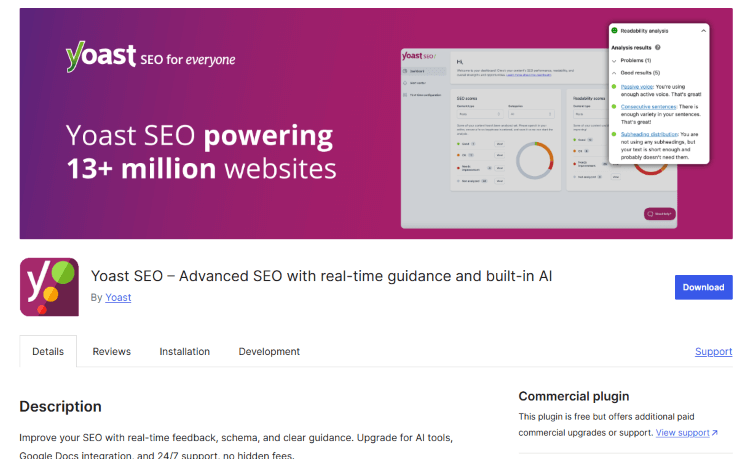
Yoast SEO is one of the most popular WordPress plugins designed to help website owners optimize their content for search engines. Developed by Joost de Valk and his team, this powerful tool simplifies SEO by offering intuitive on-page optimization features, readability analysis, and technical SEO enhancements.
Since its launch in 2010, Yoast SEO has become a must-have plugin, with over 5 million active installations and thousands of positive reviews. The plugin caters to both beginners and advanced users, making it a valuable addition to any website.
Key Features of Yoast SEO
1. On-Page SEO Optimization
Yoast SEO provides a focus keyphrase feature that allows users to optimize their content for a specific keyword. It analyzes how well the page is optimized for the given keyword and suggests improvements.
2. Readability Analysis
The plugin evaluates the readability of your content and offers suggestions to improve clarity, structure, and engagement. It considers factors such as sentence length, passive voice usage, and transition words.
3. Meta Tags & SEO Titles
Yoast SEO enables users to customize meta titles and meta descriptions for every post and page, ensuring that search engines display relevant and engaging snippets in search results.
4. XML Sitemaps
Creating and submitting XML sitemaps manually can be complex, but Yoast SEO automates the process by generating sitemaps and keeping them updated. This feature helps search engines crawl and index your site efficiently.
5. Canonical URLs & Duplicate Content Prevention
Yoast SEO prevents duplicate content issues by setting canonical URLs, ensuring that search engines recognize the correct version of your pages and avoid penalties.
6. Breadcrumbs Navigation
The plugin allows website owners to enable breadcrumbs, which enhance user navigation and help search engines understand the site structure better.
7. Schema Markup Integration
Yoast SEO automatically adds structured data to your website, helping search engines display rich results like FAQs, recipes, and product details in search results.
8. Internal Linking Suggestions
The premium version of Yoast SEO provides internal linking suggestions to help users connect related content within their site, improving SEO rankings.
9. Redirect Manager (Premium Feature)
Yoast SEO Premium includes a redirect manager, allowing users to fix broken links and redirect old URLs to new pages without losing SEO value.
10. Social Media Optimization
With Yoast SEO, you can customize how your content appears when shared on Facebook, Twitter, and other social media platforms, increasing engagement and click-through rates.
How to Install and Set Up Yoast SEO
Step 1: Install Yoast SEO Plugin
- Log in to your WordPress dashboard.
- Navigate to Plugins > Add New.
- Search for "Yoast SEO".
- Click Install Now and then Activate the plugin.
Step 2: Configure the General Settings
- After activation, go to SEO > General in your WordPress menu.
- Click on the Configuration Wizard to guide you through basic setup steps.
Step 3: Optimize Your Content with Yoast SEO
- When creating a new post, scroll down to the Yoast SEO meta box.
- Enter your focus keyphrase to analyze its optimization score.
- Edit your SEO title and meta description for better search rankings.
- Follow the readability and SEO suggestions to improve your content.
Step 4: Submit Your XML Sitemap to Google
- Go to SEO > General > Features and ensure XML sitemaps are enabled.
- Copy the sitemap URL (e.g., yourwebsite.com/sitemap_index.xml).
- Open Google Search Console, navigate to Sitemaps, and submit the URL.
Step 5: Enable Breadcrumbs (Optional)
- Navigate to SEO > Search Appearance > Breadcrumbs.
- Enable the feature and customize it as needed.
Best Practices for Using Yoast SEO
- Conduct Keyword Research: Use tools like Google Keyword Planner, Ahrefs, or SEMrush to find relevant keywords for your content.
- Optimize Images: Add alt text to images and use descriptive filenames.
- Improve Page Speed: Use caching plugins and optimize images to boost website performance.
- Write High-Quality Content: Search engines prioritize informative, well-structured, and engaging content.
- Monitor SEO Performance: Regularly check your rankings in Google Search Console and update old content.
Common Mistakes to Avoid
- Keyword Stuffing – Overusing keywords can lead to penalties from search engines.
- Ignoring Readability Scores – Ensure your content is easy to read and understand.
- Not Updating Old Content – Refresh existing articles with new information to maintain rankings.
- Skipping Internal Linking – Link to relevant pages within your website to improve SEO.
- Forgetting Mobile Optimization – Ensure your site is mobile-friendly to rank higher in search results.
How Our Agency Can Help You Optimize Yoast SEO for Maximum Results
While Yoast SEO simplifies the SEO process, proper setup, keyword strategy, and content optimization require expertise. That’s where our professional SEO agency comes in!
Our Services Include:
✅ Yoast SEO Full Setup & Configuration – We ensure your website is fully optimized from day one.
✅ SEO Content Writing – We create engaging, keyword-optimized content that ranks.
✅ On-Page & Technical SEO – We improve site structure, speed, and indexing.
✅ Google Search Console & Analytics Setup – We track and analyze your website’s performance.
✅ Advanced SEO Audits – We identify and fix SEO issues that impact rankings.
Why Choose Us?
🔹 Expert SEO Professionals – Our team has years of experience in SEO optimization.
🔹 Customized SEO Strategies – We tailor our approach to your specific business needs.
🔹 Affordable Pricing – Get high-quality SEO services at competitive rates.
🔹 Proven Results – We have helped numerous businesses achieve top rankings on Google.
👉 Ready to boost your website’s SEO with Yoast? Contact us today for a free consultation and let’s get started!
Conclusion
Yoast SEO is a powerful tool that can significantly improve your website’s search engine visibility, but to unlock its full potential, proper configuration and strategy are essential. By following the tips outlined in this guide, you can optimize your content and website effectively.
However, if you want to save time and ensure professional SEO results, let our expert team handle it for you! Get in touch today and take your website’s SEO to the next level. 🚀
About us and this blog
We are a digital marketing company with a focus on helping our customers achieve great results across several key areas.
Request a free quote
We offer professional SEO services that help websites increase their organic search score drastically in order to compete for the highest rankings even when it comes to highly competitive keywords.
Subscribe to our newsletter!
Unlock Your Growth. Let's Talk Strategy.
Share Your Vision With Us
We craft data-driven digital marketing campaigns that drive traffic, generate leads, and boost your sales. Share your goals with us.
More from our blog
See all postsRecent Posts
- Comprehensive Guide to Shopify Pricing: Everything You Need to Know December 20, 2025
- What is "Salla" Store? A Comprehensive Overview December 20, 2025
- The Cost of Building a Salla Store: A Comprehensive Guide December 20, 2025
