

In the world of website optimization, speed is a crucial factor that directly influences user experience, search engine rankings, and overall site performance. One of the most popular and effective tools for improving website speed and performance is W3 Total Cache (W3TC). This powerful plugin for WordPress is designed to enhance the performance of your site by optimizing various aspects of its functionality, including caching, content delivery, and database interactions. In this article, we will explore W3 Total Cache in-depth, discussing its features, benefits, how it works, and why it is an essential tool for improving website performance.
What is W3 Total Cache?
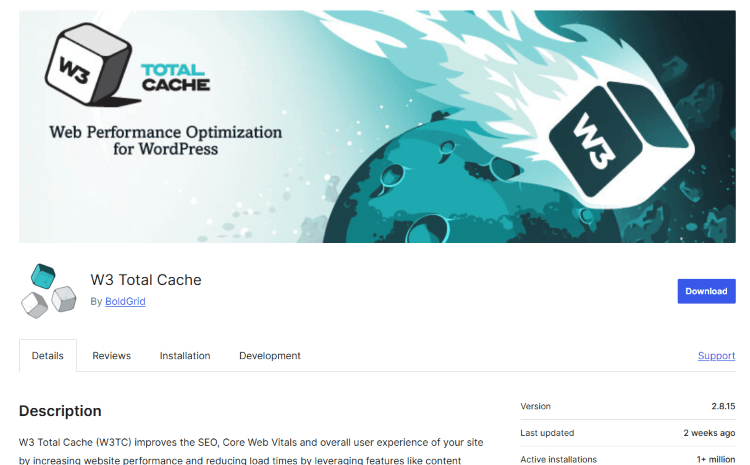
W3 Total Cache is a comprehensive caching solution for WordPress websites. It aims to enhance the overall speed and performance of a website by caching static content, minimizing server load, reducing bandwidth consumption, and improving the user experience. The plugin does this by storing copies of frequently accessed files, such as HTML, CSS, JavaScript, and images, and serving them to users without having to generate the same content repeatedly from scratch.
By reducing the need for your server to process every request for content, W3 Total Cache can dramatically increase the speed of your site, lower load times, and improve the overall efficiency of your WordPress site.
Key Features of W3 Total Cache
1. Page Caching:
W3TC stores static HTML pages generated by WordPress and serves them to visitors, bypassing the need to query the database or run PHP code on each request. This results in faster page loading times and a better user experience.
2. Browser Caching:
This feature allows you to store static resources like images, CSS, and JavaScript files in the user's browser cache, reducing the number of requests to your server and improving load times for repeat visitors.
3. Object Caching:
Object caching helps optimize dynamic content and reduce the load on your database by storing database queries in memory, speeding up subsequent requests for the same content.
4. Minification and Compression:
W3 Total Cache can minify (remove unnecessary characters like spaces, line breaks, and comments) and compress CSS, JavaScript, and HTML files. This reduces file sizes, improving loading times and making your site more efficient.
5. CDN Integration:
W3 Total Cache supports Content Delivery Network (CDN) integration, allowing you to serve static assets (images, CSS, JavaScript) from servers that are geographically closer to the user, further reducing load times and enhancing user experience.
6. Database Caching:
This feature caches database queries, reducing the need to repeatedly query the database for the same information and improving site performance, especially for sites with complex or resource-heavy databases.
7. Fragment Caching:
W3TC allows caching of specific parts of the page (such as sidebar widgets or ads), improving the performance of dynamic sites by reducing the load on the server.
8. Support for SSL and HTTPS:
For websites using SSL encryption, W3 Total Cache ensures that caching is still effective, ensuring secure content delivery without compromising on speed.
How Does W3 Total Cache Improve Website Performance?
1. Reduced Load Times:
By caching content and serving it directly to visitors, W3 Total Cache minimizes the time required to generate content on every page request. This results in a faster-loading site, which is essential for keeping visitors engaged and reducing bounce rates.
2. Improved Server Performance:
W3 Total Cache reduces the workload on your web server by minimizing the number of requests made to the server. Instead of generating dynamic content on every page load, the server can serve cached content, allowing it to handle more traffic without crashing.
3. Enhanced User Experience:
A faster website not only leads to better SEO rankings but also provides a more pleasant browsing experience for visitors. By reducing page load times, users are more likely to stay on your site, interact with your content, and complete desired actions, such as making a purchase or filling out a contact form.
4. Better SEO Rankings:
Google has publicly stated that page speed is one of the ranking factors used in search engine results. A faster website can improve your chances of ranking higher on search engine results pages (SERPs), driving more organic traffic to your site.
5. Reduced Bandwidth Usage:
With browser caching and minification, W3 Total Cache helps reduce bandwidth usage by serving smaller, optimized files and limiting the number of requests made to the server. This can be especially important for websites with high traffic volumes.
6. Cost Savings:
By improving your website's performance, you can potentially reduce server costs and hosting fees. Websites that are optimized to serve cached content require less server power, which can result in cost savings, especially when using shared hosting services.
How to Install and Configure W3 Total Cache
Installing and configuring W3 Total Cache is a relatively simple process. Here's a step-by-step guide on how to get started:
1. Install W3 Total Cache:
- Log into your WordPress dashboard.
- Navigate to "Plugins" > "Add New."
- Search for "W3 Total Cache."
- Click "Install Now" and then activate the plugin.
2. Basic Configuration:
- After activation, go to "Performance" in the WordPress menu, and you will see the W3 Total Cache settings page.
- You will be prompted to enable the essential caching options, such as Page Cache, Browser Cache, and Object Cache. Enable these features first, as they provide the core benefits.
3. Advanced Settings:
- Once the basic settings are configured, you can fine-tune your caching settings. For instance, you can specify cache expiration times, enable CDN integration, or configure additional minification settings for CSS and JavaScript.
4. Testing and Monitoring:
- After configuring W3TC, it is important to test your website’s performance to ensure everything is working as expected. Use tools like Google PageSpeed Insights, GTmetrix, or Pingdom to evaluate load times and identify areas for improvement.
5. Troubleshooting:
- Occasionally, caching plugins can conflict with other plugins or themes. If you notice any issues with your website’s appearance or functionality after activating W3 Total Cache, try clearing the cache or disabling specific features like minification or CDN integration.
Why Choose W3 Total Cache Over Other Caching Plugins?
While there are many caching plugins available for WordPress, W3 Total Cache stands out due to its advanced features and flexibility. Here are some reasons why W3 Total Cache is often the preferred choice:
- Comprehensive Features: W3 Total Cache offers a wide range of caching and optimization features, including page caching, object caching, database caching, CDN integration, and more. This makes it a one-stop solution for improving website performance.
- Customization: The plugin allows for granular control over your website's caching settings, enabling you to optimize your site according to your specific needs.
- Support for CDN Integration: W3 Total Cache integrates seamlessly with popular CDNs like Cloudflare and MaxCDN, which can further boost your website's performance by delivering content from servers that are closer to your users.
- Free and Premium Versions: While the free version of W3 Total Cache offers many essential features, the premium version unlocks advanced functionalities, including enhanced CDN support, mobile caching, and more.
- Active Development: W3 Total Cache is actively maintained and updated, ensuring compatibility with the latest versions of WordPress and other technologies.
Why Choose Our Agency for Your Website Optimization Needs?
If you want to unlock the full potential of W3 Total Cache and ensure your website runs at peak performance, Nafas Digital is here to help. Our team of experts specializes in website optimization, performance enhancement, and WordPress solutions. We offer tailored services that include:
- W3 Total Cache Setup and Configuration: We’ll install and configure W3 Total Cache for you, optimizing your caching settings for maximum performance.
- Performance Audits: Our experts will analyze your website and provide actionable recommendations to improve load times, reduce bounce rates, and boost user experience.
- Ongoing Maintenance and Support: We provide continuous monitoring and support to ensure your website remains fast, secure, and optimized at all times.
- Custom Solutions: Whether you need advanced caching strategies or specific optimizations for your business needs, we offer customized solutions to ensure your website performs at its best.
Don’t let slow website performance hold you back—contact Nafas Digital today, and let us help you take your website to the next level with expert optimization and caching services!
About us and this blog
We are a digital marketing company with a focus on helping our customers achieve great results across several key areas.
Request a free quote
We offer professional SEO services that help websites increase their organic search score drastically in order to compete for the highest rankings even when it comes to highly competitive keywords.
Subscribe to our newsletter!
Unlock Your Growth. Let's Talk Strategy.
Share Your Vision With Us
We craft data-driven digital marketing campaigns that drive traffic, generate leads, and boost your sales. Share your goals with us.
More from our blog
See all postsRecent Posts
- Comprehensive Guide to Shopify Pricing: Everything You Need to Know December 20, 2025
- What is "Salla" Store? A Comprehensive Overview December 20, 2025
- The Cost of Building a Salla Store: A Comprehensive Guide December 20, 2025
