

Comprehensive Guide to WP Mail SMTP: The Essential Email Deliverability Plugin for WordPress
- December 14, 2025
- Other Plugins
In the world of WordPress websites, email communication plays a crucial role. Whether it’s transactional emails like password resets and order confirmations or marketing emails such as newsletters and promotional campaigns, ensuring reliable email delivery is paramount. However, the default WordPress email system is often plagued by issues such as emails landing in spam folders or not being sent at all. This is where WP Mail SMTP comes into play.
WP Mail SMTP is a powerful WordPress plugin designed to improve email deliverability by reconfiguring WordPress to use a proper SMTP (Simple Mail Transfer Protocol) provider instead of the default PHP mail function. In this article, we will delve deep into what WP Mail SMTP is, why it is essential, how to install and configure it, and best practices to optimize its performance.
What is WP Mail SMTP?
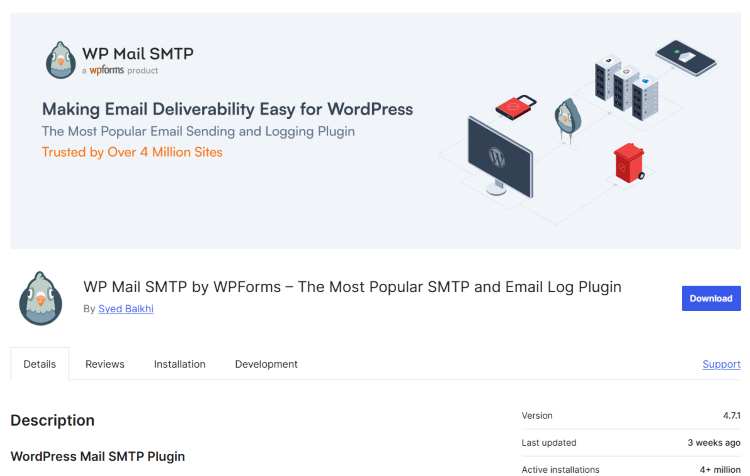
WP Mail SMTP is one of the most widely used plugins for fixing email delivery issues in WordPress. Developed by WPForms, this plugin allows website owners to configure an SMTP service provider, ensuring that emails sent from their website are properly authenticated and reliably delivered to recipients' inboxes instead of being flagged as spam or getting lost in transit.
The plugin supports various SMTP providers, including:
- SMTP.com
- Sendinblue
- Google Workspace (Gmail)
- Microsoft Outlook/Office 365
- Amazon SES
- Postmark
- Mailgun
- Zoho Mail
- Other custom SMTP servers
With over 3 million active installations, WP Mail SMTP has become the go-to solution for businesses and website owners who want to improve their email reliability.
Why is WP Mail SMTP Essential?
WordPress, by default, uses the PHP mail() function to send emails. Unfortunately, many hosting providers disable this function due to security concerns, and even when enabled, emails sent via this method often get flagged as spam by email service providers. WP Mail SMTP addresses these problems in several key ways:
1. Improved Email Deliverability
By integrating with SMTP services, WP Mail SMTP ensures that emails are authenticated using protocols like OAuth 2.0, which significantly reduces the likelihood of emails being marked as spam.
2. Avoiding Spam Filters
Many email services implement SPF, DKIM, and DMARC policies to validate emails. Emails sent via WordPress's default method often fail these checks, but WP Mail SMTP helps you pass these security measures with properly configured SMTP credentials.
3. Compatibility with Popular Email Services
Whether you are using Gmail, Outlook, or a custom SMTP server, WP Mail SMTP makes it easy to configure your email settings with a few clicks.
4. Detailed Email Logging and Debugging
The premium version of WP Mail SMTP offers detailed email logs, allowing website owners to track outgoing emails, diagnose issues, and ensure that all emails reach their intended recipients.
5. Security and Authentication
Many SMTP providers require authentication via username, password, or API keys. WP Mail SMTP securely stores these credentials and ensures that emails are sent through a verified channel.
How to Install and Configure WP Mail SMTP
Setting up WP Mail SMTP is straightforward and requires just a few steps. Below is a step-by-step guide on how to install and configure the plugin for optimal performance.
Step 1: Install WP Mail SMTP
- Log in to your WordPress Admin Dashboard.
- Navigate to Plugins > Add New.
- In the search bar, type WP Mail SMTP.
- Click Install Now and then Activate the plugin.
Step 2: Configure SMTP Settings
- Go to WP Mail SMTP > Settings.
- Under the From Email section, enter the email address you want emails to be sent from.
- Enable the option Force From Email to apply this setting to all emails sent from your website.
- In the From Name field, enter the name that will appear in the "From" field of outgoing emails.
- Choose your preferred SMTP mailer from the list of available options.
Step 3: Set Up Your SMTP Provider
Depending on your chosen provider, the setup will vary. Here’s how you can configure the most popular providers:
- Gmail/Google Workspace: Requires OAuth authentication. You’ll need to create a Google Developer Project and obtain Client ID and Secret.
- SMTP.com: Enter SMTP server details, username, and password provided by SMTP.com.
- Mailgun: Use API-based authentication for improved security and performance.
- Amazon SES: Requires setting up SMTP credentials in AWS.
Step 4: Test Your SMTP Configuration
Once the settings are configured:
- Navigate to WP Mail SMTP > Email Test.
- Enter a recipient email address.
- Click Send Email to verify if emails are successfully delivered.
If the test email is received, your SMTP configuration is working correctly.
Best Practices for Using WP Mail SMTP
To ensure optimal email performance, follow these best practices:
1. Use a Dedicated SMTP Service
Avoid using free email services like Gmail for business-critical emails. Instead, opt for dedicated SMTP providers like SMTP.com, Sendinblue, or Amazon SES.
2. Enable Email Logging (Pro Feature)
Keeping logs of outgoing emails helps in tracking issues and verifying email delivery.
3. Configure SPF, DKIM, and DMARC Records
These DNS records authenticate your domain and prevent email spoofing, improving your sender reputation.
4. Regularly Test Email Deliverability
Periodically send test emails to ensure that the SMTP configuration remains intact, especially after updates or server changes.
5. Use Two-Factor Authentication (2FA)
If using SMTP credentials that require passwords, enable 2FA for added security.
How Our Agency Can Help
Our agency specializes in WordPress optimization and email deliverability solutions. Whether you’re facing email delivery issues, need custom SMTP configurations, or want a fully managed email solution, we provide comprehensive WordPress support. Our services include:
- WP Mail SMTP Setup and Configuration
- Email Deliverability Optimization
- Custom SMTP Server Integrations
- Email Security and Authentication Setup
- Troubleshooting and Support for Email Issues
By leveraging our expertise, you can ensure that your WordPress website delivers emails reliably, improving user engagement and business communications.
Conclusion
WP Mail SMTP is an indispensable tool for any WordPress website experiencing email issues. By replacing WordPress’s default email system with a reliable SMTP provider, this plugin significantly enhances email deliverability, reduces spam issues, and improves overall email reliability.
Whether you run an e-commerce store, membership site, or blog, ensuring that your emails are delivered promptly and securely is crucial. If you need professional assistance with WP Mail SMTP or any other WordPress-related service, our agency is here to help.
Would you like assistance in setting up WP Mail SMTP for your website? Get in touch with us today! 🚀
About us and this blog
We are a digital marketing company with a focus on helping our customers achieve great results across several key areas.
Request a free quote
We offer professional SEO services that help websites increase their organic search score drastically in order to compete for the highest rankings even when it comes to highly competitive keywords.
Subscribe to our newsletter!
Unlock Your Growth. Let's Talk Strategy.
Share Your Vision With Us
We craft data-driven digital marketing campaigns that drive traffic, generate leads, and boost your sales. Share your goals with us.
More from our blog
See all postsRecent Posts
- Comprehensive Guide to Shopify Pricing: Everything You Need to Know December 20, 2025
- What is "Salla" Store? A Comprehensive Overview December 20, 2025
- The Cost of Building a Salla Store: A Comprehensive Guide December 20, 2025
