

WP-Optimize: The Ultimate WordPress Optimization Tool for Performance and Speed
- December 15, 2025
- Speed Plugins
In the world of website management, performance is everything. A slow, unresponsive website can deter visitors, affect SEO rankings, and ultimately impact conversions. As the online landscape becomes increasingly competitive, the need for fast-loading websites has never been more pressing. One of the best ways to optimize your WordPress website is by using WP-Optimize — a powerful tool that helps improve performance, speed, and overall user experience. This article delves into the importance of website optimization, what WP-Optimize does, its key features, and how it can enhance your website’s performance.
What is WP-Optimize?
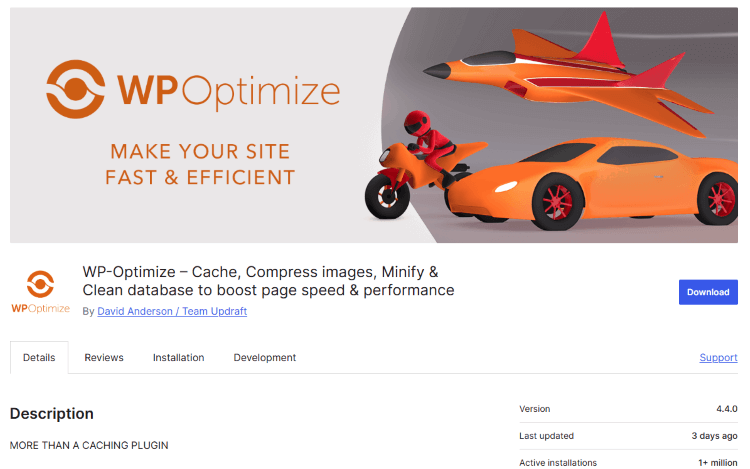
WP-Optimize is an all-in-one WordPress optimization plugin designed to streamline and improve the performance of WordPress websites. It helps speed up websites by clearing unnecessary data, reducing the size of database files, and optimizing other key aspects that may slow down your site.
The plugin provides several features that ensure the backend of your website is clean and optimized without sacrificing essential functionality. WP-Optimize addresses common performance problems caused by bloat, outdated content, and poor database structure.
Why Website Speed Matters
Before diving deeper into WP-Optimize, it's essential to understand why website speed is a crucial element for success:
- User Experience: A website that loads slowly frustrates users and increases the likelihood of them abandoning your site before engaging with the content or converting.
- SEO Rankings: Google and other search engines prioritize fast-loading websites in their rankings. Websites that load quickly tend to rank higher, boosting visibility.
- Conversions: Faster websites have higher conversion rates. Whether you are selling products or generating leads, speed plays a crucial role in ensuring that your audience stays engaged long enough to complete desired actions.
- Mobile Usability: With mobile traffic rising rapidly, optimizing for speed is vital. Mobile users are often more impatient, so a sluggish mobile site will increase your bounce rate.
How WP-Optimize Enhances Website Performance
WP-Optimize takes a multi-faceted approach to improving WordPress website performance. Below are the core features and benefits that this plugin offers:
1. Database Optimization
Over time, WordPress websites accumulate unwanted data in their databases, such as post revisions, spam comments, and trash posts. This data not only clutters your database but also makes queries slower. WP-Optimize allows you to easily clean up your database by removing unnecessary entries and optimizing tables. This reduces the database size, which speeds up data retrieval and improves overall site performance.
2. Image Compression and Optimization
Images are typically the largest files on any website and can significantly impact load time. WP-Optimize includes an image optimization feature that automatically compresses and resizes images without compromising quality. This is crucial for improving site speed without sacrificing visual content.
3. Cache Management
WP-Optimize helps you manage your site's cache, which is essential for fast page loading. Caching stores a static version of your pages, so visitors don’t need to reload the entire content every time they visit. With WP-Optimize, you can easily manage and clear the cache to ensure optimal site speed and prevent issues related to outdated cache content.
4. Minification of CSS, JavaScript, and HTML Files
WP-Optimize includes an option to minify your website's CSS, JavaScript, and HTML files. Minification removes unnecessary spaces, comments, and other non-essential characters from the code. By doing so, it reduces the size of these files, leading to faster page load times and enhanced site performance.
5. Lazy Loading of Images and Videos
Lazy loading is a technique that defers the loading of images or videos until they are needed, i.e., when they enter the user's viewport. This reduces the initial load time of the page and improves performance. WP-Optimize integrates lazy loading for images and videos, making your website much more efficient, especially on content-heavy pages.
6. Automated Cleanups
WP-Optimize offers an automatic cleanup schedule feature. You can set the plugin to run at regular intervals (such as daily, weekly, or monthly), ensuring that your site remains optimized without manual intervention. This feature ensures that your database, images, and other key elements are consistently cleaned and optimized.
7. Multisite Support
WP-Optimize also supports WordPress multisite installations. If you manage a network of websites, you can use WP-Optimize to optimize all of them from a single interface. This saves time and ensures uniformity in optimization practices across multiple sites.
Why Choose WP-Optimize Over Other Plugins?
While there are several optimization plugins available for WordPress, WP-Optimize stands out for its simplicity and effectiveness. Here’s why:
- Comprehensive Optimization: Unlike many plugins that focus on just one aspect (e.g., caching or image optimization), WP-Optimize offers an all-in-one solution for cleaning up your database, compressing images, minifying code, and more.
- Ease of Use: WP-Optimize is user-friendly and doesn’t require any technical knowledge to implement. It’s designed for WordPress users of all skill levels.
- Free Version with Powerful Features: The free version of WP-Optimize already includes most of the essential features. If you want advanced tools, the premium version unlocks additional functionalities.
- Regular Updates and Support: WP-Optimize is regularly updated to ensure compatibility with the latest WordPress versions, and its dedicated support team is available to assist with any issues you may encounter.
How to Install and Set Up WP-Optimize
Installing WP-Optimize is simple and can be done directly from your WordPress dashboard:
- Navigate to the Plugins section of your WordPress dashboard.
- Click on Add New and search for “WP-Optimize.”
- Click Install Now, then activate the plugin.
- Once activated, you will find WP-Optimize under the Settings menu of your WordPress dashboard.
- Configure the settings according to your needs. You can start with the basic optimization tools and gradually explore the advanced options as you get familiar with the plugin.
Common Issues WP-Optimize Can Solve
WP-Optimize is an essential tool if your website is facing any of the following issues:
- Slow page load times
- A cluttered database
- Excessive image sizes
- Unoptimized CSS, JavaScript, or HTML files
- Outdated cached files
- Unwanted post revisions and spam comments
By addressing these problems, WP-Optimize ensures your site runs more efficiently, providing a better user experience and improved search engine rankings.
Why Choose Our Agency’s Services for WordPress Optimization?
While WP-Optimize is a powerful tool for improving your WordPress site's performance, using it to its full potential can be a bit overwhelming, especially if you lack the technical know-how or time to manage the optimization process effectively. That’s where our agency comes in.
We specialize in WordPress site optimization, offering a range of services designed to improve website speed, performance, and overall user experience. Our team of experienced professionals understands the nuances of WP-Optimize and can:
- Perform comprehensive website audits to identify performance bottlenecks.
- Set up and configure WP-Optimize to ensure your site is optimized for speed and efficiency.
- Fine-tune database optimization, cleaning up unnecessary data and ensuring that your website runs smoothly.
- Optimize images and code to minimize load times without compromising on quality.
- Provide ongoing support and maintenance, ensuring that your website remains optimized as new content and updates are added.
By partnering with us, you can enjoy a faster, more responsive website, without the hassle of managing the technical aspects on your own.
Ready to boost your WordPress website’s performance? Contact us today to learn more about our optimization services and take the first step towards a faster, more efficient website!
This concludes the article about WP-Optimize. It explains the importance of optimization, how WP-Optimize works, its key features, and how it can benefit any WordPress site. Additionally, it offers a gentle nudge for readers to consider using your agency’s expertise in WordPress optimization.
About us and this blog
We are a digital marketing company with a focus on helping our customers achieve great results across several key areas.
Request a free quote
We offer professional SEO services that help websites increase their organic search score drastically in order to compete for the highest rankings even when it comes to highly competitive keywords.
Subscribe to our newsletter!
Unlock Your Growth. Let's Talk Strategy.
Share Your Vision With Us
We craft data-driven digital marketing campaigns that drive traffic, generate leads, and boost your sales. Share your goals with us.
More from our blog
See all postsRecent Posts
- Comprehensive Guide to Shopify Pricing: Everything You Need to Know December 20, 2025
- What is "Salla" Store? A Comprehensive Overview December 20, 2025
- The Cost of Building a Salla Store: A Comprehensive Guide December 20, 2025
