

Maximizing Website Speed and Performance with WP Rocket: A Complete Guide
- December 15, 2025
- Speed Plugins
In today’s fast-paced digital world, website performance is more important than ever. Slow-loading websites not only drive visitors away but also harm your SEO rankings. Search engines, particularly Google, have made page speed a critical factor in ranking, which means optimizing your website is no longer optional — it’s a necessity. One of the best tools to achieve this optimization is WP Rocket.
WP Rocket is a premium caching plugin for WordPress that helps you improve the speed and performance of your website with minimal effort. In this article, we’ll explore everything you need to know about WP Rocket, from its features to installation and configuration, and why it’s considered one of the best solutions for speeding up WordPress websites.
What is WP Rocket?
WP Rocket is a powerful caching plugin designed to improve the speed and overall performance of WordPress websites. With its robust features and easy-to-use interface, WP Rocket has become a go-to solution for many WordPress website owners. Unlike other caching plugins, WP Rocket doesn’t require technical expertise to set up and configure, making it accessible for both beginners and experienced developers.
The plugin works by creating static HTML files from your dynamic WordPress content. This process significantly reduces the time it takes to load pages, resulting in a faster browsing experience for your visitors. WP Rocket not only focuses on caching, but it also provides a range of performance-enhancing features that address every aspect of your website’s speed.
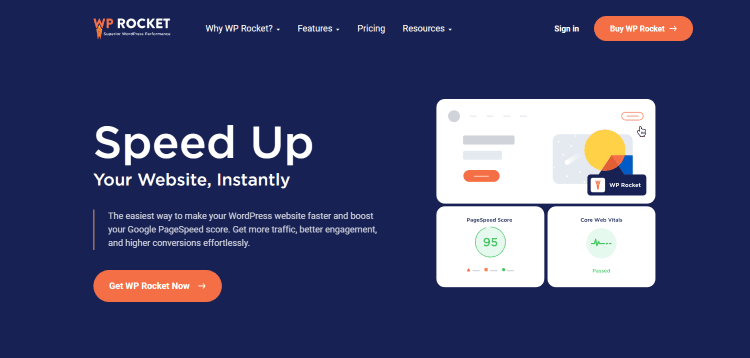
Key Features of WP Rocket
1. Page Caching
Page caching is the backbone of WP Rocket. It stores a static version of your content and serves it to visitors instead of querying the database every time a page is loaded. This dramatically reduces page load times.
2. Cache Preloading
WP Rocket automatically preloads the cache for your website’s pages as soon as you activate the plugin. This ensures that visitors get an instant cached version of your pages without having to wait for them to be generated.
3. Browser Caching
This feature stores parts of your website (such as images, scripts, and CSS files) in your visitors’ browsers, reducing the load time on subsequent visits. This makes returning visitors experience faster page loads.
4. GZIP Compression
WP Rocket enables GZIP compression to reduce the size of files (like HTML, CSS, and JavaScript), which decreases page load times. This process compresses files, making them smaller and more efficient for web browsers to load.
5. Lazy Loading
With lazy loading, images, videos, and iframes are only loaded when they are visible in the user’s viewport. This means that your website doesn’t have to load all the media content upfront, which reduces initial page load time and improves performance.
6. Minification of HTML, CSS, and JavaScript
WP Rocket allows you to minify and combine your website’s HTML, CSS, and JavaScript files. Minification removes unnecessary characters from these files, reducing their size and speeding up the page loading process.
7. Database Optimization
Over time, WordPress websites accumulate a lot of unused data, such as post revisions, spam comments, and transients. WP Rocket helps clean up your database, which reduces its size and improves overall performance.
8. CDN (Content Delivery Network) Integration
WP Rocket can integrate with popular CDNs (like Cloudflare) to deliver your content faster to users around the world by caching files on servers located in different regions. This reduces the physical distance between your server and the visitor, improving page load times.
9. WooCommerce Optimization
For WooCommerce stores, WP Rocket offers specialized optimizations that improve product page load times and checkout speeds, helping increase conversions and reduce cart abandonment.
How Does WP Rocket Improve Your Website's Speed?
WP Rocket’s caching mechanism is designed to improve the performance of WordPress websites with minimal effort on your part. When a visitor requests a page from your site, WP Rocket serves a cached version of the page instead of making a request to the server to generate the page each time. The cached version is stored in a static HTML format, which is significantly faster to load than a dynamically generated page.
In addition to caching, WP Rocket optimizes the delivery of your website’s content. By compressing files, reducing unnecessary code, and leveraging lazy loading for images, it ensures that your site loads as quickly as possible.
Benefits of Using WP Rocket
- Improved User Experience: Faster websites lead to happier visitors. Page speed plays a crucial role in user experience, and WP Rocket ensures that your site delivers a smooth browsing experience.
- Better SEO Rankings: Google uses page speed as a ranking factor. With WP Rocket, your website’s faster load times help improve its position in search engine results.
- Higher Conversion Rates: Research shows that users are more likely to stay on your site and complete a purchase or sign-up if the site loads quickly. WP Rocket’s optimizations help reduce bounce rates and improve conversions.
- Easy to Use: WP Rocket is user-friendly, with an intuitive interface that makes it easy to install, configure, and manage. No technical knowledge required.
- Great Support: WP Rocket offers excellent customer support. If you encounter any issues, their team is ready to assist you.
How to Install and Configure WP Rocket
Installing WP Rocket is simple and straightforward. Here’s a step-by-step guide:
Step 1: Purchase and Download WP Rocket
Go to the WP Rocket website and choose the plan that fits your needs. After purchasing, you’ll be able to download the plugin.
Step 2: Install the Plugin
- Go to your WordPress dashboard.
- Navigate to Plugins > Add New.
- Click Upload Plugin and select the downloaded WP Rocket .zip file.
- Click Install Now and then activate the plugin.
Step 3: Configure the Settings
Once activated, WP Rocket automatically applies basic caching settings. However, you may want to fine-tune the settings based on your website’s needs.
Here are some of the key configuration options you should review:
- Enable cache preloading and GZIP compression.
- Set up lazy loading for images and videos.
- Minify and combine CSS and JavaScript files.
- Clean up your database by removing old revisions and trash.
WP Rocket’s settings are easy to navigate, and the plugin offers useful explanations for each option. Most users will benefit from the default settings, but you can always customize it further as needed.
WP Rocket vs. Other Caching Plugins
While there are other caching plugins available for WordPress, WP Rocket stands out for its ease of use, comprehensive feature set, and excellent support. Plugins like W3 Total Cache and WP Super Cache are free and widely used, but they often require more manual configuration and don’t offer the same level of optimization out-of-the-box.
WP Rocket, by contrast, provides a more streamlined experience. It’s a premium plugin, but the performance improvements and ease of use justify the cost for many website owners.
Why Choose WP Rocket?
If you’re serious about improving your website’s speed and performance, WP Rocket is a must-have tool. It’s one of the most effective caching plugins for WordPress, and it’s suitable for both beginners and experts. Whether you’re running a blog, a business website, or an eCommerce store, WP Rocket can help you deliver a faster, smoother browsing experience for your visitors, which will ultimately help improve your SEO rankings and increase conversions.
Our Agency’s Services: Boost Your Website's Performance with Professional Help
While WP Rocket is a fantastic tool for improving website performance, configuring it properly and optimizing your website’s overall speed can be complex, especially for large or custom-built websites. That’s where we come in.
Nafas Digital specializes in web performance optimization services. Our team of experts can help you implement WP Rocket and other performance-enhancing strategies to ensure your website is running at its best.
Here’s how we can help:
- WP Rocket Installation & Configuration: We’ll install WP Rocket and fine-tune it according to your website’s needs, ensuring maximum performance.
- Comprehensive Site Optimization: Beyond caching, we’ll optimize your website’s images, scripts, and code to deliver faster load times.
- Ongoing Monitoring and Support: Website performance is an ongoing concern. We provide regular monitoring and updates to keep your site optimized.
- Custom Solutions for Complex Websites: For large-scale websites or custom-built platforms, we offer tailored solutions that integrate WP Rocket with other performance-enhancing tools.
If you’re ready to boost your website’s performance and ensure that it’s fast, secure, and optimized for the best user experience, get in touch with Nafas Digital today. We’ll work with you to implement the right strategies and tools to take your website to the next level.
About us and this blog
We are a digital marketing company with a focus on helping our customers achieve great results across several key areas.
Request a free quote
We offer professional SEO services that help websites increase their organic search score drastically in order to compete for the highest rankings even when it comes to highly competitive keywords.
Subscribe to our newsletter!
Unlock Your Growth. Let's Talk Strategy.
Share Your Vision With Us
We craft data-driven digital marketing campaigns that drive traffic, generate leads, and boost your sales. Share your goals with us.
More from our blog
See all postsRecent Posts
- Comprehensive Guide to Shopify Pricing: Everything You Need to Know December 20, 2025
- What is "Salla" Store? A Comprehensive Overview December 20, 2025
- The Cost of Building a Salla Store: A Comprehensive Guide December 20, 2025
